
PDF tools for Mac
Merge, split, organise, compress, sign, protect, redact and convert PDFs. Make scans searchable and turn documents and web pages into PDFs, with no PDF website involved.

- 1
Drop PDFs, scans or documents
Word, Markdown, HTML and images work too.
- 2
Pick pages and options
Ranges like 1-3, 5, 8-, passwords, signatures, redactions.
- 3
Get a new PDF
Searchable, smaller, signed or redacted, as you chose.
Every pdf tool
Combine PDFs into one, in the order you choose, or alternate pages to join front and back scans.
Finder Quick ActionSplit PDFSplit by pages, chapters (bookmarks), file size or where a word appears, or cut two-page scans in half.
Organize PDFReverse, reorder or split out odd and even pages.
Delete PagesRemove the pages you don't need.
Extract PagesPull the pages you want out into a new PDF.
Rotate PDF PagesTurn or flip some or all pages.
Compress PDFShrink image-heavy PDFs for email and upload.
Finder Quick ActionGrayscale & Flatten PDFMake print-ready copies: lock form fields and annotations into the page, or convert to black and white.
Pages per SheetPut 2, 4, 6 or 9 pages on each sheet to save paper.
Sign PDFType your name, or drop a signature image with the PDF, and place it on the page.
Watermark PDFStamp DRAFT, CONFIDENTIAL or your own text across every page.
Page Numbers, Header & FooterNumber pages, add a header and footer, or stamp legal Bates numbers.
Add PasswordAdd a password needed to open the PDF.
Remove PasswordRemove the password from a PDF you have the password for.
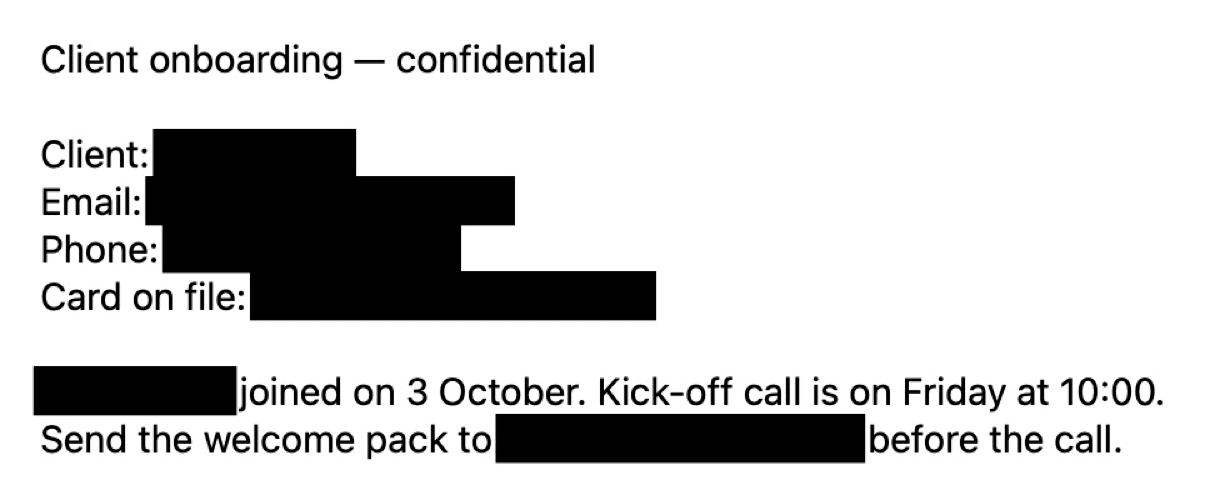
Redact PDFBlack out names, emails, phone and card numbers, removed for real and not just covered.
Make PDF SearchableAdd an invisible OCR text layer to scanned PDFs so you can search, select and copy their text.
Finder Quick ActionConvert to PDFTurn Word, RTF, Markdown, HTML and text files into clean, paginated PDFs.
Finder Quick ActionInvoice GeneratorTurn a list of items into a clean, professional PDF invoice with totals and tax.
Web Page to PDFSave any web page as a PDF, split into printable pages or as one long page.
Scan DocumentsScan paper with your iPhone or iPad camera, or combine photos of documents, into one searchable PDF.
Images to PDFTurn photos or scans into a single PDF, in the order you choose.
Finder Quick ActionPDF to ImagesExport every page as a PNG or JPEG.
PDF to Text & WordGet the text out of a PDF as a Word document, plain text or RTF. Scanned pages are read with OCR.
Compare PDFsSee what changed between two versions of a PDF, Word or text file, in a report PDF.
Extract Images from PDFSave every picture inside a PDF at its original quality.
Crop PDFTrim white margins automatically, or cut the same margin from every side.
Resize PDF PagesChange every page to A4, US Letter or another size, scaling the content to fit.
Edit PDF MetadataSet the title, author and keywords; clear hidden details; remove comments and links.
Fill PDF FormsList a form's fields, fill them in, or make one filled copy per row of a CSV, then lock it.
Office & iWork to PDFExcel, PowerPoint, Word, Keynote, Numbers and Pages to PDF, offline, with no Office needed.
CSV to PDFTurn a CSV into a tidy, printable table, landscape for wide data.
EPUB to PDFTurn an e-book into a paginated PDF, chapter by chapter, with its pictures.
PDF to PowerPointTurn each page into a slide (.pptx) that opens in PowerPoint, Keynote and Google Slides.
PDF to Markdown & HTMLClean Markdown or HTML with headings, lists and tables, great for notes, websites and AI tools.
Straighten & Repair PDFStraighten crooked scanned pages, or rebuild a PDF that won't open properly.
PDF to PDF/AMake archival PDF/A files for courts, governments and long-term records.
Markdown to PDFTurn Markdown into a styled PDF with tables, code blocks, task lists and pictures. Several at once.
Finder Quick ActionMore in OneMacTools
151 tools in all, for one price.

Stop hunting for tools.
Start with one.
All 151 tools. Free download, one payment for a licence, yours to keep.