
Change PDF page size (A4 to Letter) on Mac
Change every page to A4, US Letter or another size, scaling the content to fit.
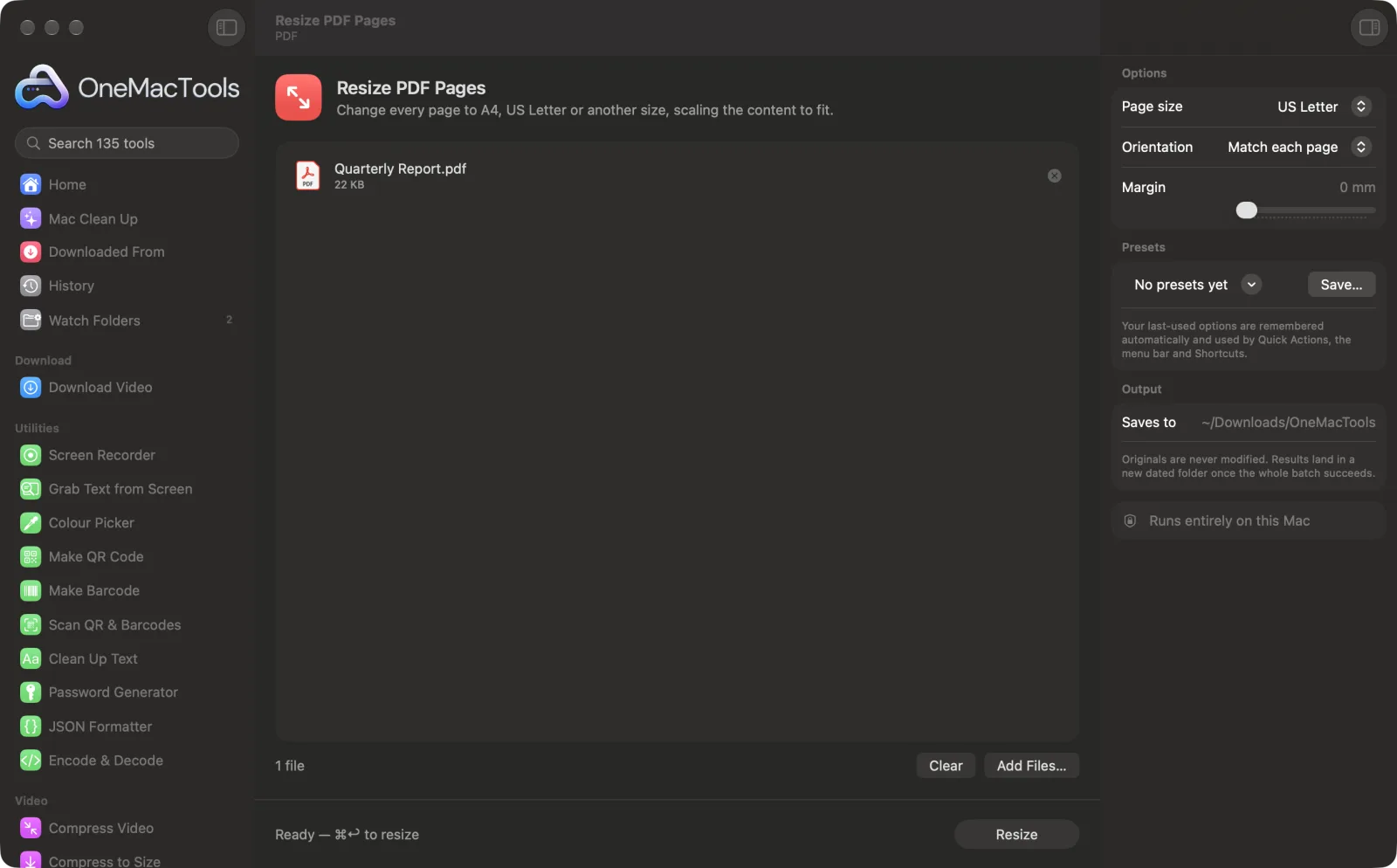
Resize PDF Pages on a Mac
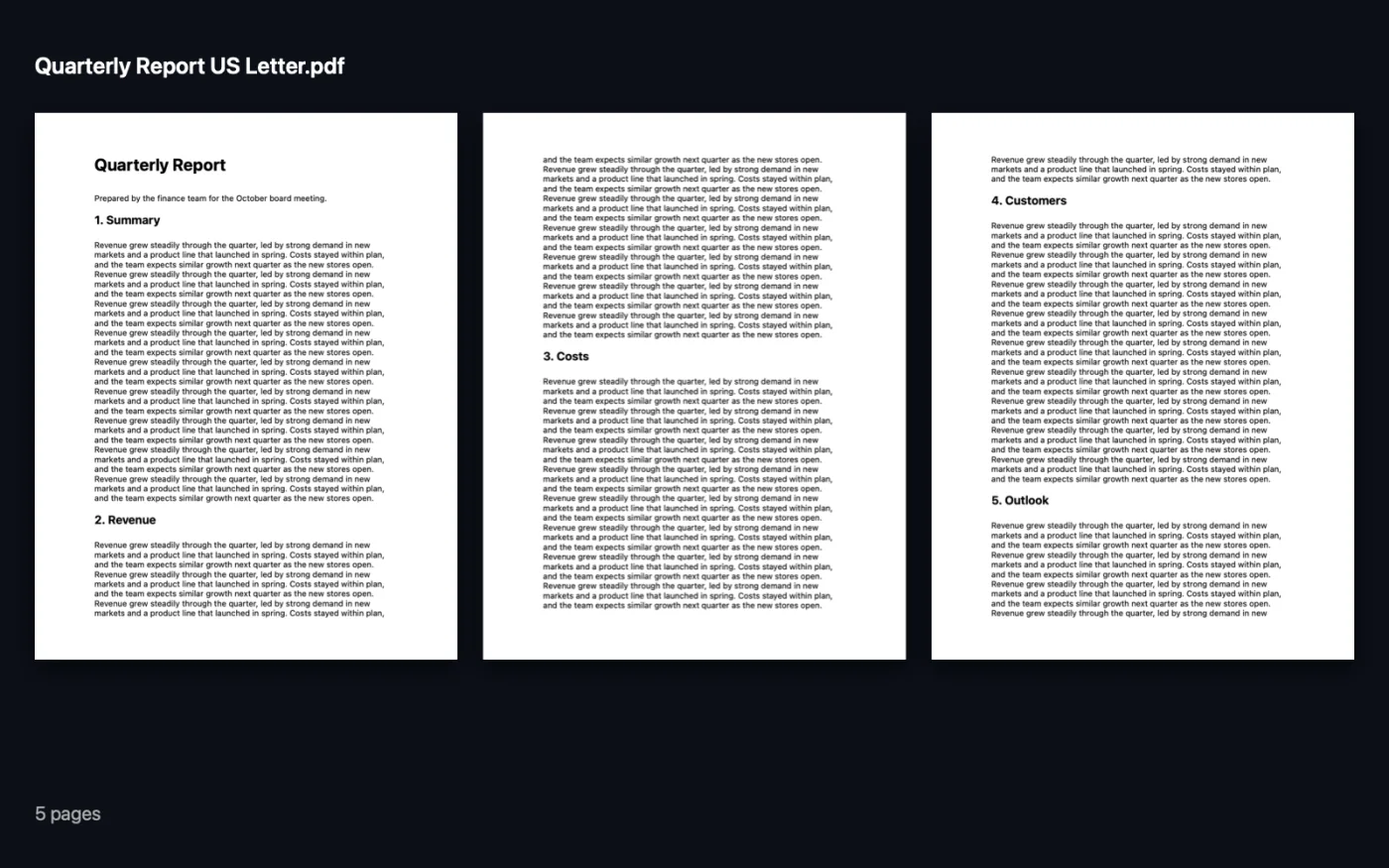
Screenshots from the app, using sample files.
How to use Resize PDF Pages
- 1
Add the PDF
Drop one or more PDFs onto Resize PDF Pages.
- 2
Choose the paper
In the right-hand panel, pick the page size you need, such as A4 or US Letter.
- 3
Set orientation and margin
Choose Match each page, Portrait or Landscape, and add a margin if the content needs room from the edge.
- 4
Resize
Click Resize. Every page's content is scaled to fit the new size and centred.
- 5
Check the result
The new PDF, named with its new size, is saved in a dated folder in Downloads › OneMacTools. Open it with the Preview (eye) button.
What Resize PDF Pages does
Convert a PDF between A4, US Letter, Legal, A3, A5 and Tabloid. Each page's content is scaled to fit and centred, in portrait, landscape, or matching each page.
Great for
- Print a European A4 document on US Letter paper
- Make every page in a merged file the same size
- Shrink A3 drawings to print on A4
Options explained
- Page size
- A4 (the default), US Letter, US Legal, A3, A5 or Tabloid. Every page in the file is changed to this size.
- Orientation
- Match each page (the default) keeps landscape pages landscape and portrait pages portrait. Portrait or Landscape forces every page one way.
- Margin
- 0–30 mm, 0 by default. Adds white space around the content on every page, useful for printers that can't print to the edge.
Best practices
- Content is scaled to fit without stretching, so an A4 page on US Letter gets a thin white band at the top and bottom. That's expected.
- Use a 5 mm margin when printing at home, so nothing is lost at the edges.
- Merged PDFs often have pages of different sizes. Resizing them all to one size makes them print and read evenly.
- Leave Orientation on Match each page for documents with a few landscape tables or charts.
Works with
- In
- PDF files, one or many at once.
- Out
- A copy of each PDF with every page at the new size, named with that size, for example “Report A4”.
- Pages are redrawn onto the new paper, so links, comments and form fields may not carry over.
Questions about Resize PDF Pages
How do I change a PDF from A4 to US Letter on a Mac?
Drop the PDF onto Resize PDF Pages, set Page size to US Letter and click Resize. Each page is scaled to fit Letter paper and centred.
Will the content be stretched?
No. It's scaled evenly to fit inside the new page and centred, so the proportions stay the same.
How do I make all pages in a PDF the same size?
Run it through Resize PDF Pages with the size you want. Every page comes out at that size, whatever it was before.
Can I shrink A3 pages to print on A4?
Yes. Choose A4 and the A3 content is scaled down to fit.
Does the text stay sharp?
Yes. Pages are redrawn as vector content, so text stays crisp and selectable.
How do I add margins to a PDF?
Set Margin to the amount you want, even with the same page size, and the content is shrunk slightly to leave that space around it.
Does Resize PDF Pages upload my files?
No. Resize PDF Pages runs entirely on your Mac, so your files never leave it and it works offline.
Will Resize PDF Pages change my original files?
No. Results are saved as new files in a dated folder in Downloads › OneMacTools, and your originals are left exactly as they were unless you turn on an option that says otherwise.
What does Resize PDF Pages need?
Just a Mac with macOS 26 or later. There's nothing else to install.
Do this next
Trim white margins automatically, or cut the same margin from every side.
Pages per SheetPut 2, 4, 6 or 9 pages on each sheet to save paper.
Merge PDFsCombine PDFs into one, in the order you choose, or alternate pages to join front and back scans.
Related PDF tools
Split by pages, chapters (bookmarks), file size or where a word appears, or cut two-page scans in half.
Organize PDFReverse, reorder or split out odd and even pages.
Delete PagesRemove the pages you don't need.
Extract PagesPull the pages you want out into a new PDF.
Rotate PDF PagesTurn or flip some or all pages.
Compress PDFShrink image-heavy PDFs for email and upload.

Resize PDF Pages, plus 134 more.
One app. One price.
All 135 tools for $29, once. 14-day money-back guarantee.