
Convert PDF to Markdown or HTML on Mac
Clean Markdown or HTML with headings, lists and tables, great for notes, websites and AI tools.
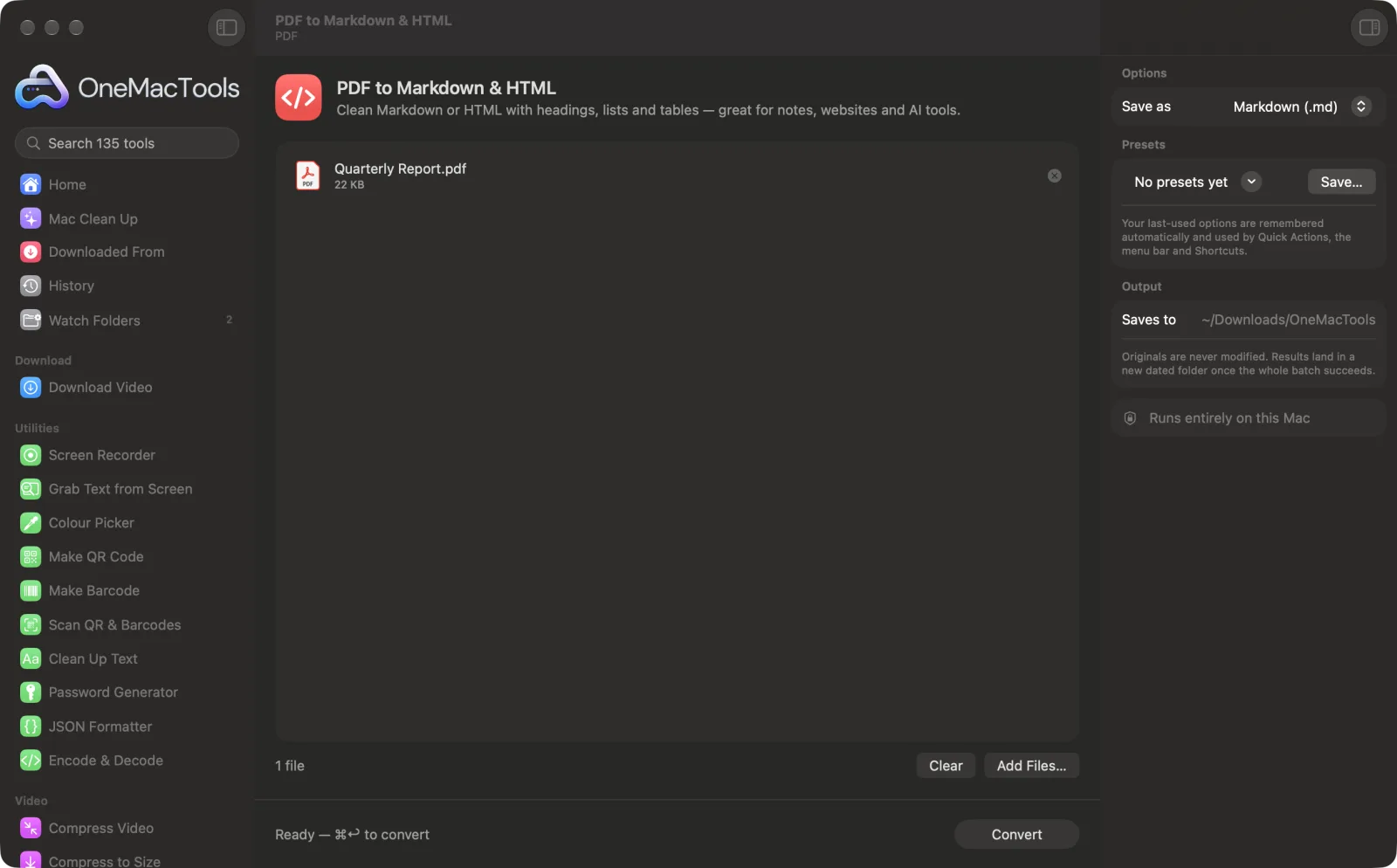
PDF to Markdown & HTML on a Mac
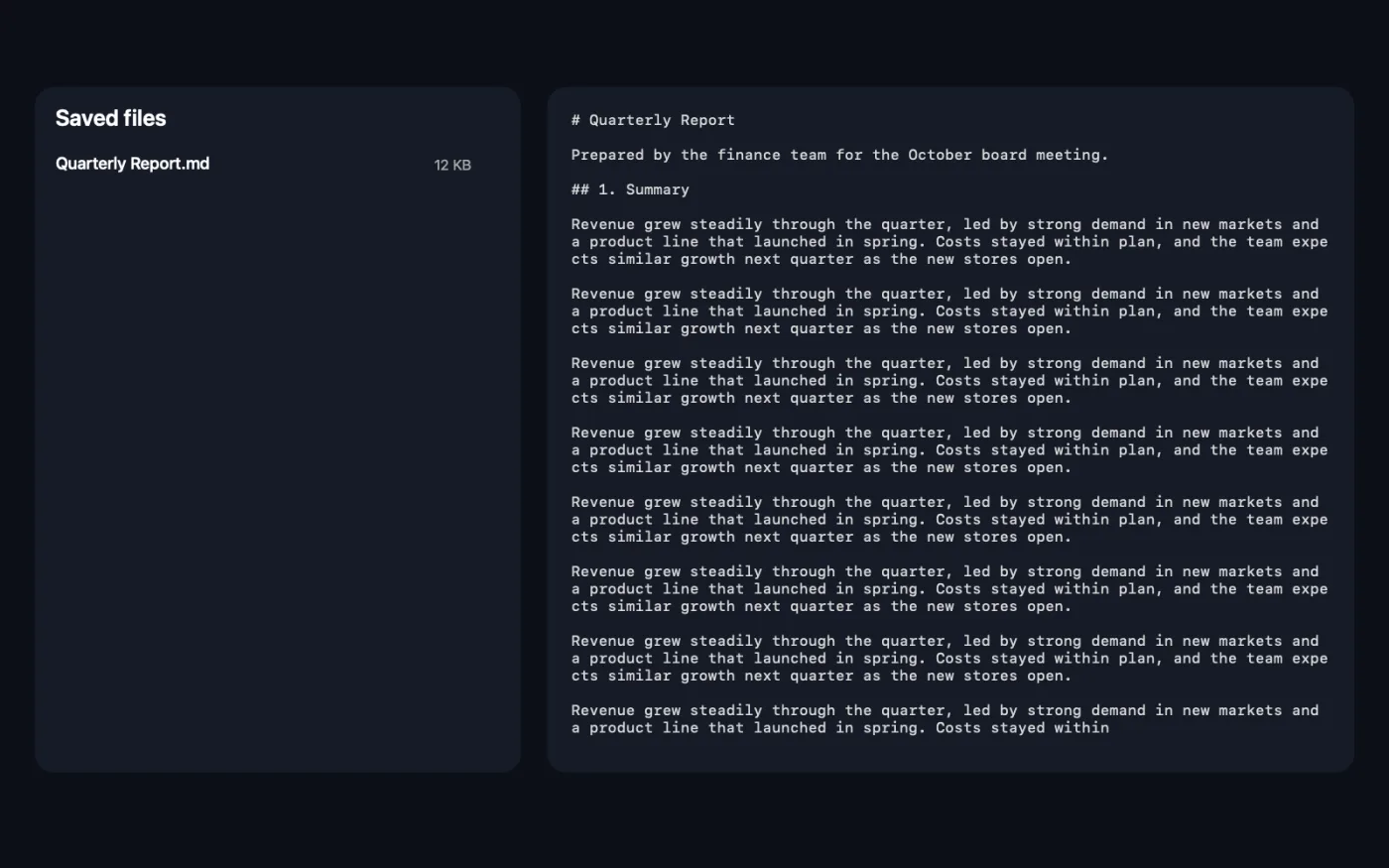
Screenshots from the app, using sample files.
How to use PDF to Markdown & HTML
- 1
Add the PDF or scan
Drop PDFs, or photos and screenshots of pages, onto PDF to Markdown & HTML.
- 2
Choose the format
In the right-hand panel, set Save as to Markdown (.md) or HTML (.html).
- 3
Convert
Click Convert. Each page is read with the document understanding built into macOS, and its headings, paragraphs, lists and tables are rebuilt.
- 4
Open the result
The file is saved in a dated folder in Downloads › OneMacTools. Open it in your notes app, editor or browser.
What PDF to Markdown & HTML does
OneMacTools reads each page with the document understanding built into macOS and rebuilds its structure: headings, paragraphs, bullet lists and tables. Save as Markdown for Obsidian, Notion or AI tools, or as a simple HTML page. Works on scans too.
Great for
- Move a PDF into your notes app
- Publish a PDF as a web page
- Give an AI tool clean text with structure
Options explained
- Save as
- Markdown (.md), the default, for notes apps, documentation and AI tools. HTML (.html) for a simple, clean web page that opens in any browser.
Best practices
- Headings are guessed from text size and style. Check them after converting and adjust any that came out at the wrong level.
- Choose Markdown when you want to give a document to an AI tool: the structure helps it understand the content, and the file is small.
- Tables become real Markdown or HTML tables, so they paste cleanly into notes apps that support them.
- Pictures aren't included. Use Extract Images from PDF to get them separately.
- Crooked scans read better after Straighten & Repair PDF.
Works with
- In
- PDFs (including scanned ones) and images of pages, such as photos and screenshots.
- Out
- A Markdown (.md) or HTML (.html) file per input, with headings, paragraphs, bullet lists and tables.
- Every page is read with on-device text recognition, so scans work too.
- Pictures aren't carried over.
Questions about PDF to Markdown & HTML
How do I convert a PDF to Markdown on a Mac?
Drop the PDF onto PDF to Markdown & HTML, leave Save as on Markdown (.md) and click Convert. You get a .md file with headings, lists and tables.
Can I convert a PDF to HTML?
Yes. Set Save as to HTML (.html). You get a clean, readable web page with the same structure.
Does it work on scanned PDFs and photos?
Yes. Every page is read with the document understanding built into macOS, so scans, screenshots and phone photos work as well as digital PDFs.
Are tables kept?
Yes. Tables are rebuilt as Markdown or HTML tables, row by row.
How do I get a PDF into Obsidian or Notion?
Convert it to Markdown and drop the .md file into your vault, or import it into Notion. The headings and lists come across as real formatting.
Are images included?
No, only the text and its structure. Use Extract Images from PDF to save the pictures.
Does PDF to Markdown & HTML upload my files?
No. PDF to Markdown & HTML runs entirely on your Mac, so your files never leave it and it works offline.
Will PDF to Markdown & HTML change my original files?
No. Results are saved as new files in a dated folder in Downloads › OneMacTools, and your originals are left exactly as they were unless you turn on an option that says otherwise.
What does PDF to Markdown & HTML need?
Just a Mac with macOS 26 or later. There's nothing else to install.
Do this next
Save every picture inside a PDF at its original quality.
SummarizeGet the short version of long documents from Apple Intelligence's on-device model.
PDF to Text & WordGet the text out of a PDF as a Word document, plain text or RTF. Scanned pages are read with OCR.
Related PDF tools
Combine PDFs into one, in the order you choose, or alternate pages to join front and back scans.
Split PDFSplit by pages, chapters (bookmarks), file size or where a word appears, or cut two-page scans in half.
Organize PDFReverse, reorder or split out odd and even pages.
Delete PagesRemove the pages you don't need.
Extract PagesPull the pages you want out into a new PDF.
Rotate PDF PagesTurn or flip some or all pages.

PDF to Markdown & HTML, plus 134 more.
One app. One price.
All 135 tools for $29, once. 14-day money-back guarantee.