
Fill in PDF forms on Mac
List a form's fields, fill them in, or make one filled copy per row of a CSV, then lock it.
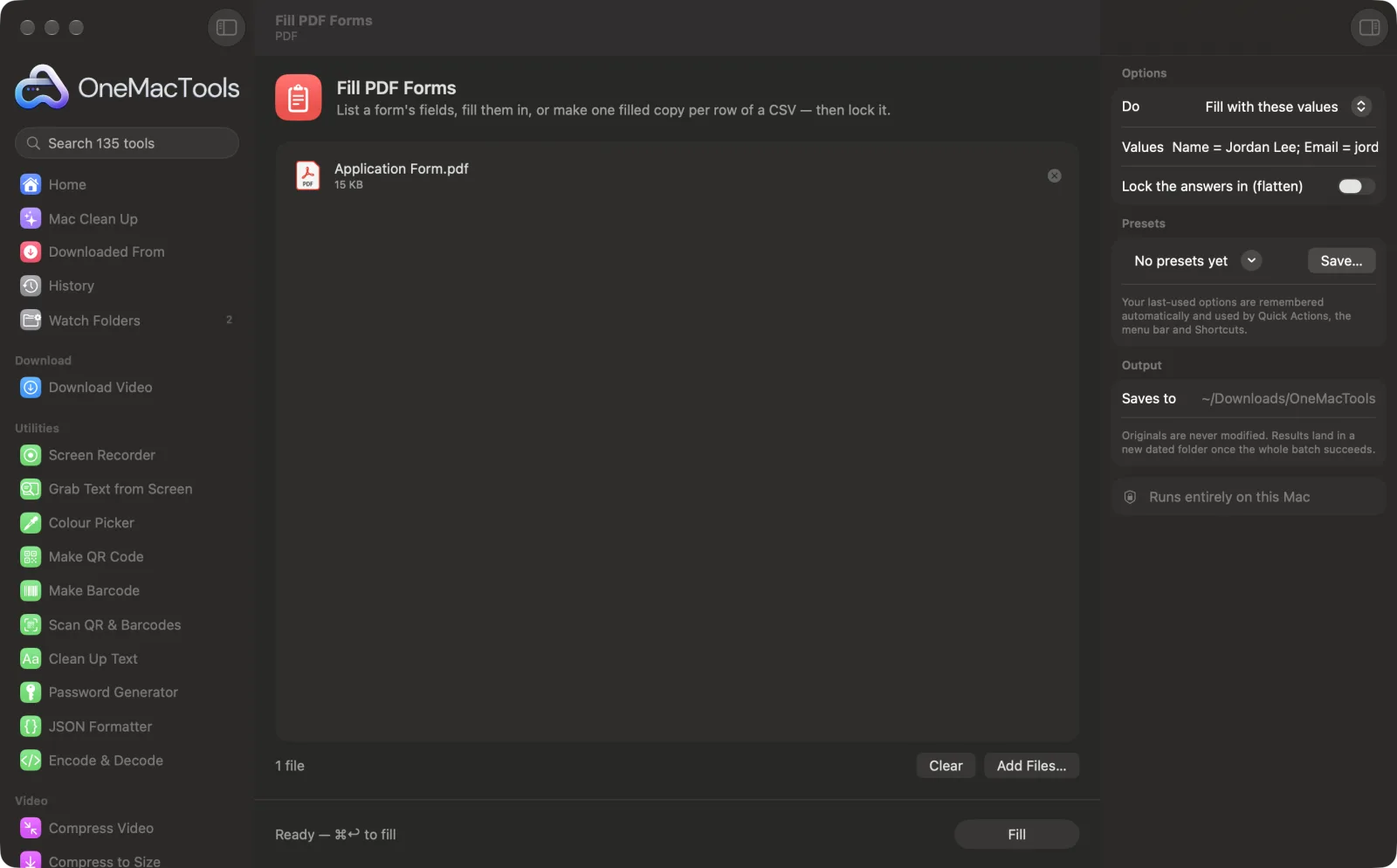
Fill PDF Forms on a Mac
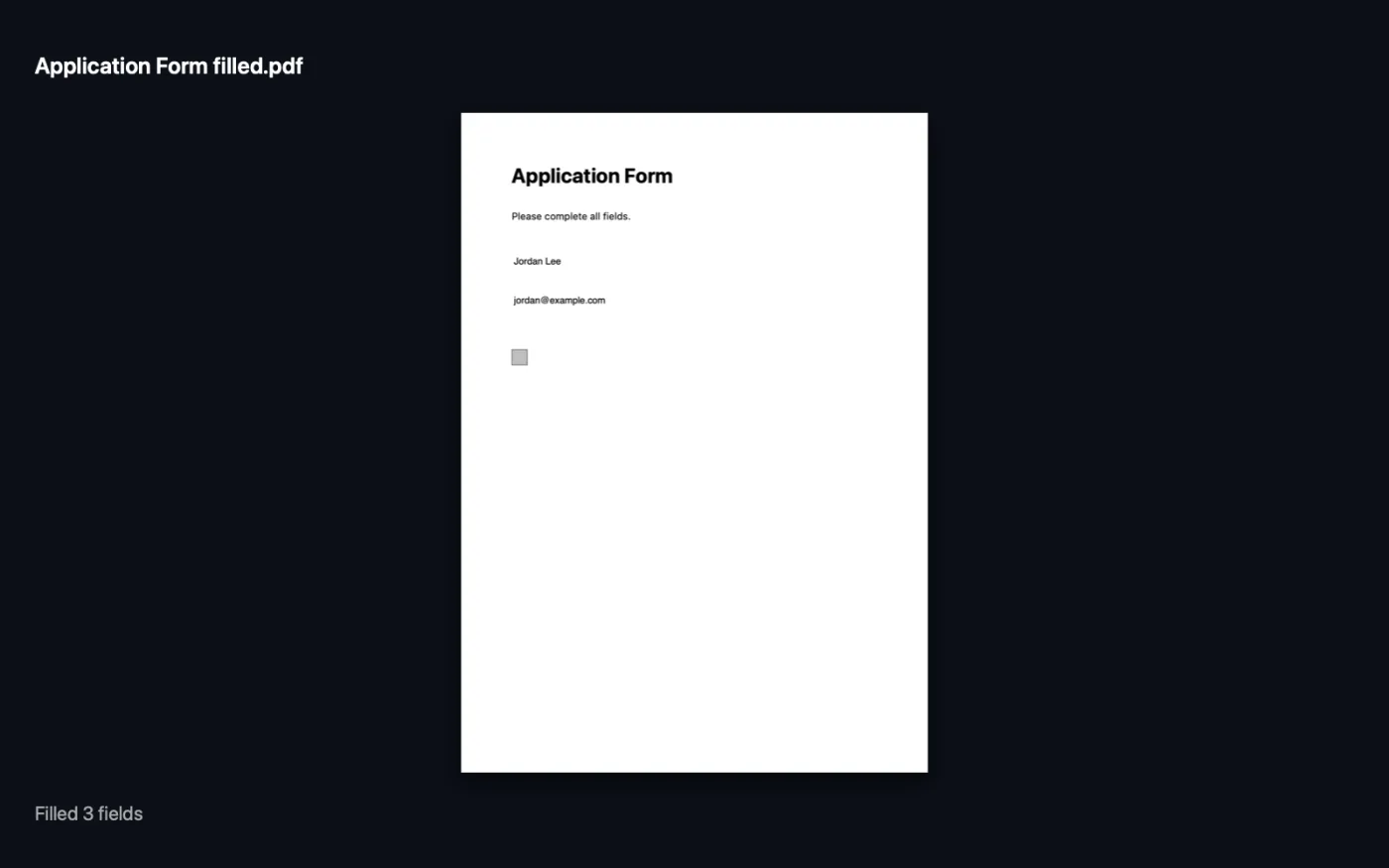
Screenshots from the app, using sample files.
How to use Fill PDF Forms
- 1
Add the form
Drop the PDF form onto Fill PDF Forms. For many copies, add a CSV file as well.
- 2
See the field names
Choose Show the fields and click Fill. You get a list of every field and its type, plus a ready-made line to copy into Values.
- 3
Fill in your values
Choose Fill with these values and type them as Name = Jordan Lee; Date = 13/10/2026; Agree = yes. Or choose One copy per CSV row.
- 4
Lock it if you want
Turn on Lock the answers in (flatten) so the answers become part of the page and can't be changed.
- 5
Fill
Click Fill. The filled PDF, or one per CSV row, is saved in a dated folder in Downloads › OneMacTools. The app tells you which names it couldn't find.
What Fill PDF Forms does
See every field in a PDF form, fill them in with “Name = Jordan; Date = 13/10/2026”, tick checkboxes with yes or no, and lock the answers in. For many people at once, add a CSV whose columns match the field names and get one filled copy per row: a mail merge for PDF forms.
Great for
- Fill the same visa form for a whole family
- Make certificates for every attendee from a spreadsheet
- Complete a tax form and lock it before sending
Options explained
- Do
- Show the fields (the default) lists every field in the form so you know the names. Fill with these values fills one copy from what you type. One copy per CSV row makes a filled copy for every row of a CSV you add.
- Values
- Only shown with Fill with these values. Type Field = value pairs separated by semicolons or new lines. Names ignore capitals. Checkboxes take yes or no; choice buttons take the option's name.
- Lock the answers in (flatten)
- Off by default. Burns the answers into the page so they look the same everywhere and can't be edited. Leave it off if someone else still needs to fill in fields.
Best practices
- Always start with Show the fields. Forms often use names like “Text1” or “applicant_surname” that aren't what the label says.
- For a CSV, make the first row the field names exactly as Show the fields lists them. Each other row becomes one copy.
- Put something unique, such as a person's name, in the first column of the CSV. It's added to each file name, so the copies are easy to tell apart.
- Check the message after filling: any names it couldn't match are listed, which usually means a typing mistake.
- Keep an unflattened copy until you're sure everything is right, since flattened answers can't be changed later.
- If the PDF has no fillable fields, use Sign PDF to place text on the page instead.
Works with
- In
- A PDF with fillable form fields, plus a CSV file (UTF-8) for one copy per row.
- Out
- A filled PDF named “<form> filled”, or one numbered PDF per CSV row.
- Only works with fillable (interactive) forms, not scanned or flat ones.
- Fills text fields, checkboxes, choice buttons and lists.
Questions about Fill PDF Forms
How do I fill in a PDF form on a Mac?
Drop the form onto Fill PDF Forms, run Show the fields to see the names, then choose Fill with these values, type Name = value pairs and click Fill.
How do I fill a PDF form from Excel or a spreadsheet?
Save the spreadsheet as CSV with the field names in the first row, add it with the form and choose One copy per CSV row. You get one filled PDF for each row, like a mail merge.
How do I tick a checkbox?
Give the checkbox field a value of yes, true, x or 1 to tick it, or no to leave it empty.
How do I stop people changing the answers?
Turn on Lock the answers in (flatten). The answers become part of the page and are no longer editable fields.
Why does it say the PDF has no fillable fields?
The form is flat: the boxes are just printed lines. Use Sign PDF to add text on top of it instead.
Why weren't some fields filled?
The names didn't match. The message lists the ones it couldn't find; compare them with the list from Show the fields.
Can I make certificates for everyone on a list?
Yes, if the certificate is a fillable PDF. Put the names in a CSV with the field name as the column header and choose One copy per CSV row.
Does Fill PDF Forms upload my files?
No. Fill PDF Forms runs entirely on your Mac, so your files never leave it and it works offline.
Will Fill PDF Forms change my original files?
No. Results are saved as new files in a dated folder in Downloads › OneMacTools, and your originals are left exactly as they were unless you turn on an option that says otherwise.
What does Fill PDF Forms need?
Just a Mac with macOS 26 or later. There's nothing else to install.
Do this next
Type your name, or drop a signature image with the PDF, and place it on the page.
Merge PDFsCombine PDFs into one, in the order you choose, or alternate pages to join front and back scans.
Add PasswordAdd a password needed to open the PDF.
Related PDF tools
Split by pages, chapters (bookmarks), file size or where a word appears, or cut two-page scans in half.
Organize PDFReverse, reorder or split out odd and even pages.
Delete PagesRemove the pages you don't need.
Extract PagesPull the pages you want out into a new PDF.
Rotate PDF PagesTurn or flip some or all pages.
Compress PDFShrink image-heavy PDFs for email and upload.

Fill PDF Forms, plus 134 more.
One app. One price.
All 135 tools for $29, once. 14-day money-back guarantee.