
Make a quiz or flashcards from a PDF on Mac
Make multiple-choice questions or flashcards from a PDF or document, on your Mac.
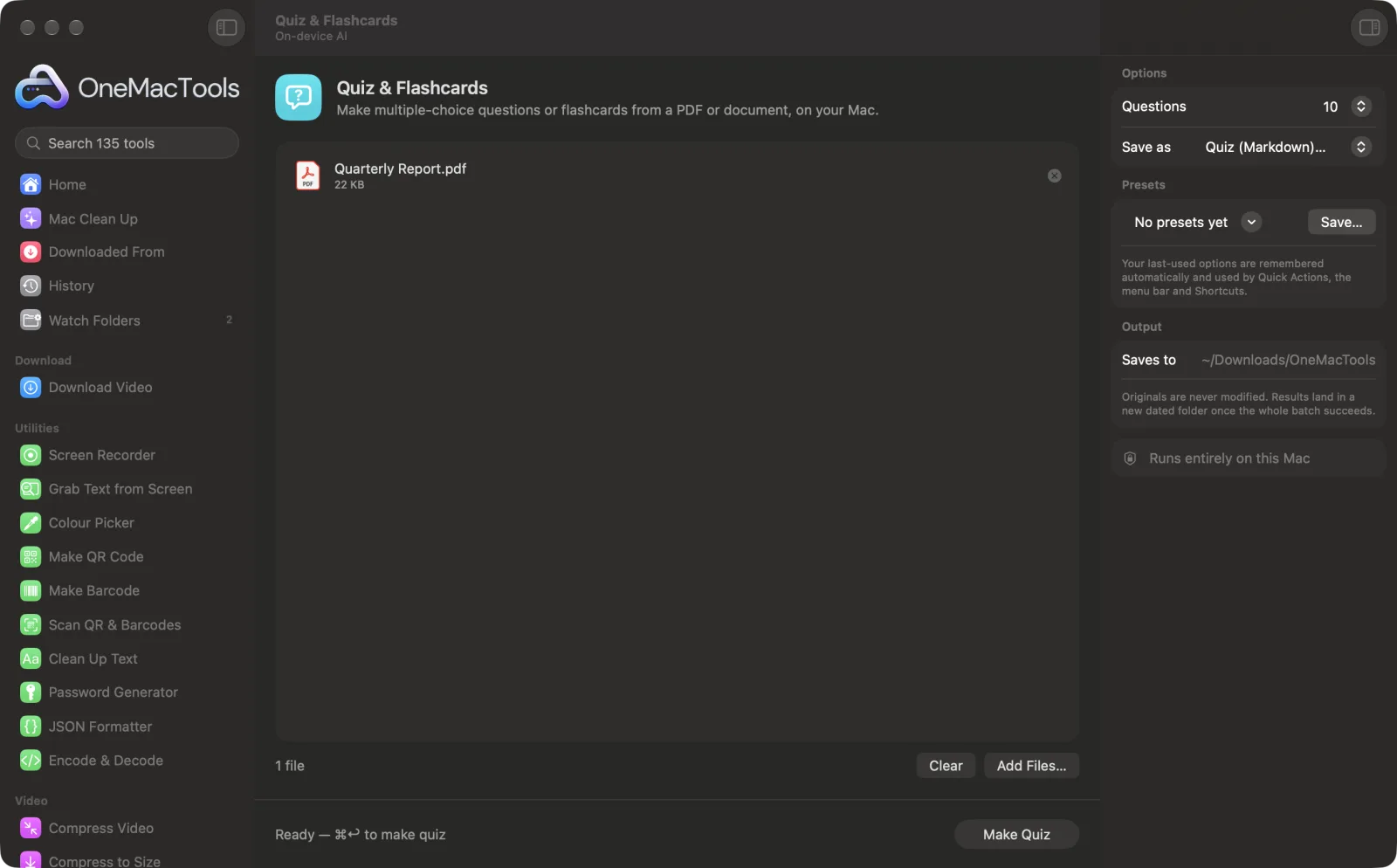
Quiz & Flashcards on a Mac
Screenshots from the app, using sample files.
How to use Quiz & Flashcards
- 1
Drop your document
Add lecture notes, a textbook chapter or a report as a PDF with text, Word, RTF, HTML, Markdown or text file.
- 2
Choose how many questions
In the right-hand panel, set Questions to 5, 10 or 20.
- 3
Choose quiz or flashcards
Set Save as to a Markdown quiz with an answer key, or flashcards in a CSV you can import into Anki.
- 4
Click Make Quiz
Apple Intelligence's on-device model reads the document in sections and writes multiple-choice questions, each with four options, using only facts in the text.
- 5
Start revising
“<document> quiz.md” or “<document> flashcards.csv” is saved in a new dated folder in Downloads › OneMacTools. Open it with the Preview (eye) button or Show in Finder.
What Quiz & Flashcards does
Apple Intelligence reads your notes, textbook chapter or report on your Mac and writes multiple-choice questions with an answer key, or question-and-answer flashcards you can import into Anki or Quizlet.
Needs Apple Intelligence turned on in System Settings. It runs on-device, so your text never leaves your Mac.
Great for
- Revise for an exam from lecture notes
- Check a team has read a policy
- Make flashcards from a textbook chapter
Options explained
- Questions
- 5, 10 (the default) or 20. The questions are spread across sections of the document. You may get fewer if the text is short.
- Save as
- Quiz (Markdown) + answer key, the default, lists numbered questions with options A to D, then the answers with a one-sentence explanation each. Flashcards (CSV for Anki) saves Front and Back columns: the question on the front, the correct answer and explanation on the back.
Best practices
- Check the answer key before sharing a quiz. AI can occasionally mark the wrong option or write an ambiguous question.
- Make one quiz per chapter. Questions come from sections of about 5,000 characters, one section per question at most, so the end of a long book may not be covered.
- Scanned notes have no text to read. Run them through Make PDF Searchable or Extract Text first.
- Use flashcards for regular revision in a spaced-repetition app, and the quiz to test yourself once before an exam.
- Run the same chapter again for a fresh set of questions.
Works with
- In
- PDFs that contain text, Word (.docx), RTF, HTML, Markdown, plain text and SRT files.
- Out
- A Markdown quiz with an answer key, or a CSV of flashcards with Front and Back columns, for each document.
- Quiz & Flashcards needs Apple Intelligence turned on.
- A document needs more than about 200 characters of text.
- Scanned PDFs need their text recognised first.
Questions about Quiz & Flashcards
How do I make a quiz from a PDF on a Mac?
Drop the PDF onto Quiz & Flashcards, choose the number of questions and click Make Quiz. You get multiple-choice questions with an answer key, written on your Mac.
Can I import the flashcards into Anki or Quizlet?
Yes. Choose Flashcards (CSV for Anki). The file has Front and Back columns that Anki, Quizlet and spreadsheet apps can import.
Are the questions and answers accurate?
They're written only from facts in your document, but AI can still get one wrong. Skim the answer key before you rely on it or share it.
Can it make questions from scanned or handwritten notes?
Not directly. Get the text out with Extract Text or Make PDF Searchable first, then make the quiz from that.
Can I make a quiz from a whole textbook?
It works best one chapter at a time. Questions are drawn from the opening sections up to the number you asked for, so later chapters of a long book may be left out.
Why did I get fewer questions than I asked for?
Short documents may not have enough material, and any question without a valid answer is left out. Try a longer section of text.
Does Quiz & Flashcards upload my files?
No. Quiz & Flashcards runs entirely on your Mac, so your files never leave it and it works offline.
Will Quiz & Flashcards change my original files?
No. Results are saved as new files in a dated folder in Downloads › OneMacTools, and your originals are left exactly as they were unless you turn on an option that says otherwise.
Does Quiz & Flashcards need Apple Intelligence?
Yes. It uses Apple Intelligence's on-device model, so turn Apple Intelligence on in System Settings. Your text is processed on your Mac and never uploaded.
Do this next
Get the short version of long documents from Apple Intelligence's on-device model.
Ask a DocumentAsk a question about PDFs, scans or documents and get an answer from what they say.
Extract TextRead text out of photos, screenshots and scanned PDFs with Apple's Vision framework.
Related On-device AI tools
Give scans, screenshots and photos real names from what's inside them.
Receipts to SpreadsheetRead receipts and invoices into a spreadsheet of dates, vendors, tax and totals.
Alt Text & CaptionsWrite accessible descriptions for images, for websites, documents and social posts.
TranscribeTurn speech in audio or video into text or subtitles with Apple's on-device speech recognition.
Meeting NotesTurn a meeting recording into a transcript plus notes with decisions and action items.
RewriteParaphrase, proofread, shorten or change the tone of text with on-device Apple Intelligence.

Quiz & Flashcards, plus 134 more.
One app. One price.
All 135 tools for $29, once. 14-day money-back guarantee.