
Remove personal info before pasting into ChatGPT
Swap names, emails, phone and card numbers, API keys and addresses for placeholders before pasting into an AI chat, then put them back.
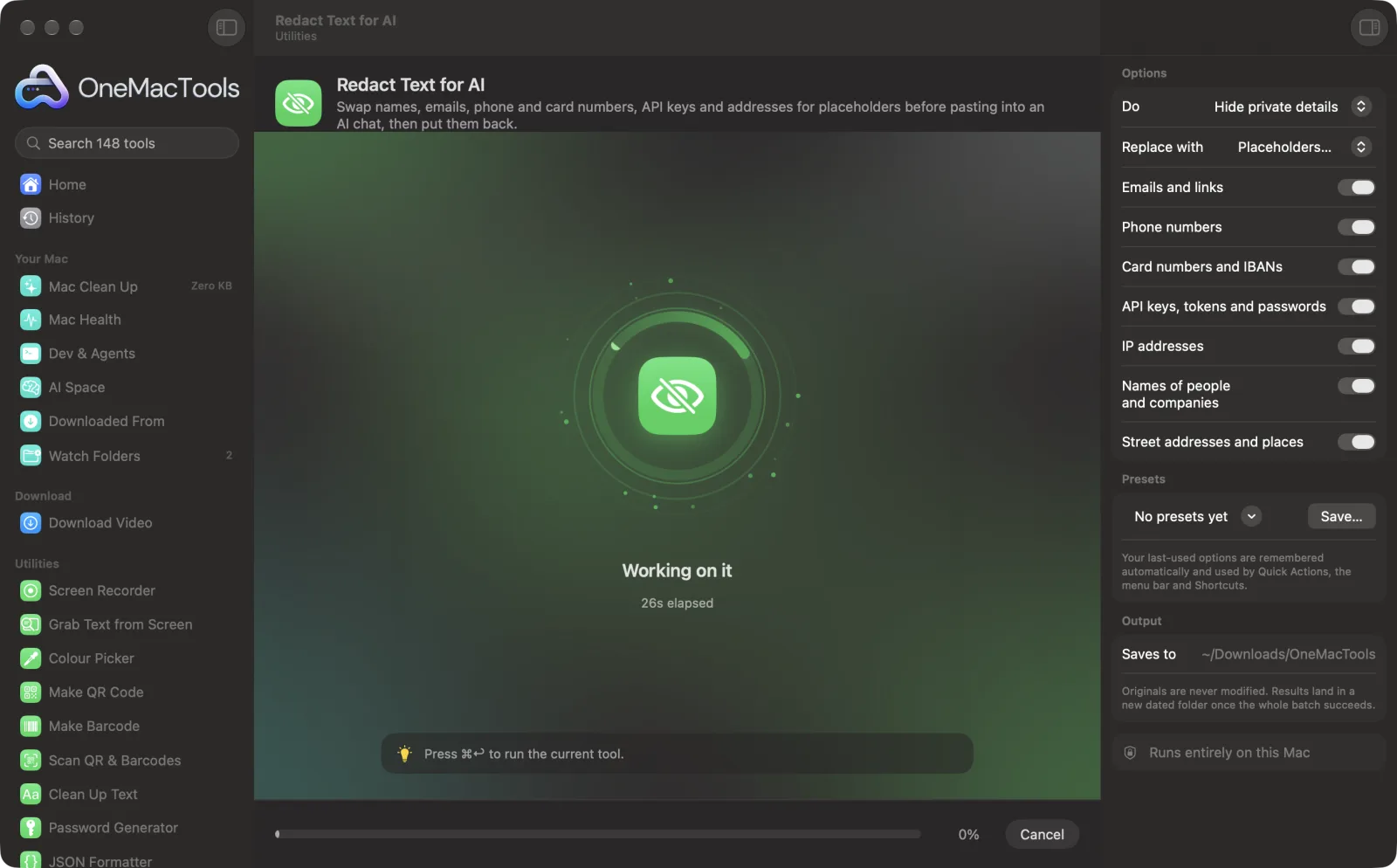
Redact Text for AI on a Mac
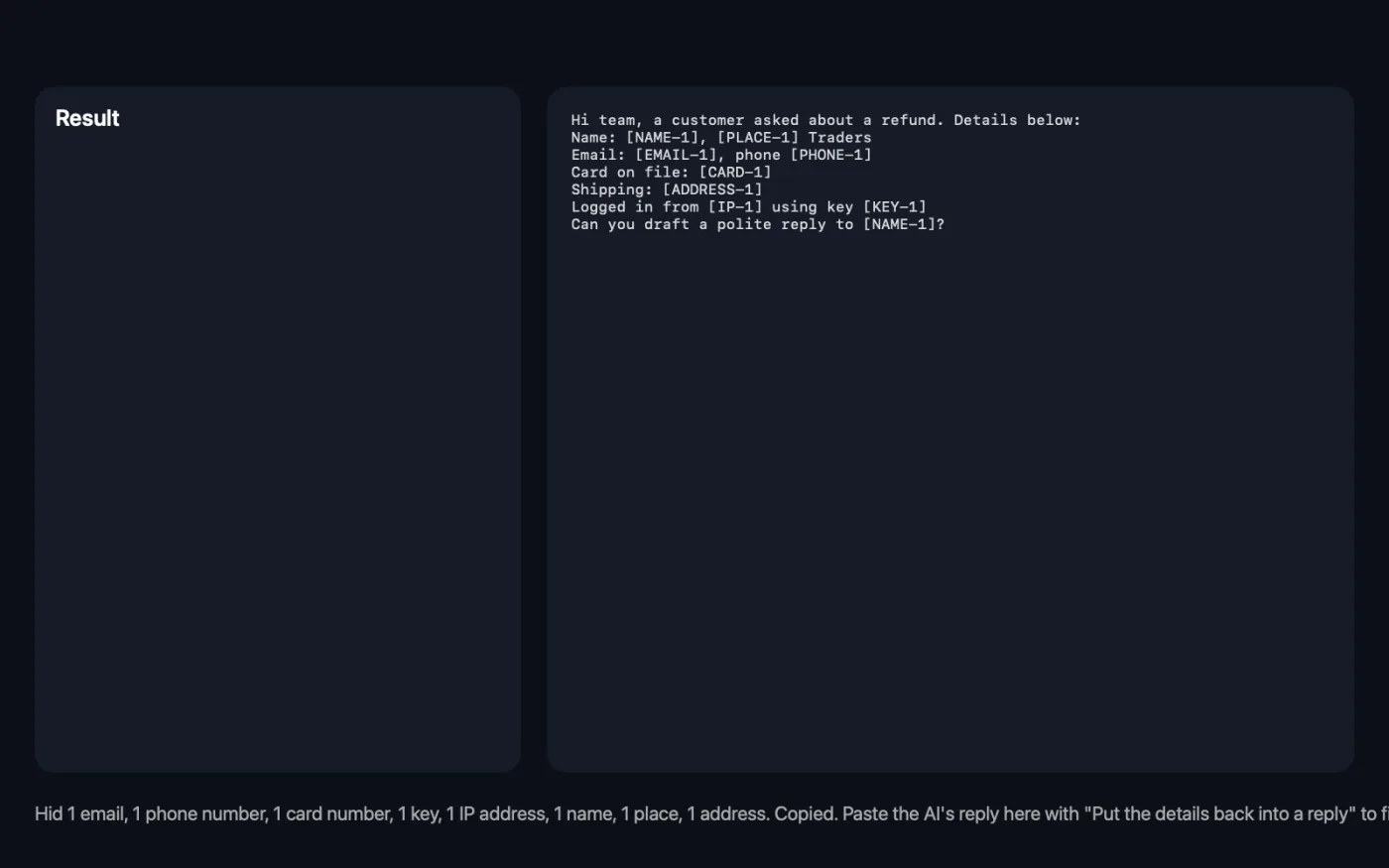
Screenshots from the app, using sample files.
How to use Redact Text for AI
- 1
Paste the text
An email, a support ticket, a log file or a contract you want help with.
- 2
Choose what to hide
Emails, phone numbers, card numbers and IBANs, keys, IP addresses, names and addresses are all on to start.
- 3
Click Redact
Private details become placeholders like [NAME-1] and [EMAIL-1], and the text is copied.
- 4
Paste it into the AI chat
The AI can still follow who's who, since the same detail always gets the same placeholder.
- 5
Put the details back
Paste the AI's reply into the tool, choose Put the details back into a reply, and click Redact.
What Redact Text for AI does
Paste an email, a log or a contract and OneMacTools finds the private details on your Mac: emails, phone numbers, card numbers and IBANs (checked, so order numbers aren't caught), API keys and tokens, IP addresses, names, companies and street addresses. Each becomes a placeholder like [EMAIL-1], the same value always getting the same one, so the AI can still follow the text. Paste the AI's reply back in and the real details are filled in again. The originals are kept in memory for an hour, never on disk.
Great for
- Ask an AI to answer a customer email without sharing the customer
- Get help with a log file that contains keys and IP addresses
- Summarise a contract without sending names and addresses
Options explained
- Do
- Hide private details, or Put the details back into a reply (using the placeholders from your last redaction, kept in memory for an hour).
- Replace with
- Placeholders like [EMAIL-1], which can be put back later, or black bars, which can't.
- Emails and links
- Email addresses and web links.
- Phone numbers
- Phone numbers with at least seven digits, in most countries' formats.
- Card numbers and IBANs
- Card numbers that pass the card check digit and IBANs that pass the bank check, so order numbers aren't caught.
- API keys, tokens and passwords
- Keys from OpenAI, Anthropic, GitHub, AWS, Google, Slack and Stripe, JSON web tokens, private keys, and anything after password=, token= or secret=.
- IP addresses
- IPv4 and IPv6 addresses.
- Names of people and companies
- Found with Apple's on-device language analysis; every repeat of a name gets the same placeholder.
- Street addresses and places
- Postal addresses, cities and countries.
Best practices
- Read the redacted text before you paste it: name detection is good but not perfect, especially for unusual names.
- Use placeholders rather than black bars when you want the AI's reply back with real names.
- Ask the AI to keep the placeholders exactly as written, so they can be filled back in.
- Turn off places when the city matters to the question, such as a shipping problem.
- The originals are held in memory for an hour and never saved, so redact and restore in one sitting.
Works with
- In
- Pasted or typed text of any length.
- Out
- The redacted text, shown in the window and copied to the clipboard.
- Works on your Mac; the text isn't sent anywhere.
- Restoring works for the most recent redaction only.
Questions about Redact Text for AI
How do I remove personal information before pasting into ChatGPT?
Paste the text into Redact Text for AI and click Redact. Names, emails, numbers, keys and addresses become placeholders, and the clean text is copied, ready to paste.
Can I get the real names back in the AI's answer?
Yes. Paste the reply into the tool and choose Put the details back into a reply. Every placeholder is swapped back for the original.
Is my text sent anywhere to be checked?
No. Everything is found on your Mac with Apple's own language tools.
Will it catch API keys in a log file?
It recognises keys from the common services and values after words like password, token and secret. Check unusual formats yourself.
Why wasn't a name hidden?
Names are recognised from context, and unusual names or names in lists can be missed. Read the result before sharing.
Where are the originals kept?
In memory only, for an hour or until OneMacTools quits. They're never written to disk.
Does Redact Text for AI upload my files?
No. Redact Text for AI runs entirely on your Mac, so your files never leave it and it works offline.
Will Redact Text for AI change my original files?
No. Results are saved as new files in a dated folder in Downloads › OneMacTools, and your originals are left exactly as they were unless you turn on an option that says otherwise.
What does Redact Text for AI need?
Just a Mac with macOS 26 or later. There's nothing else to install.
Do this next
Change case, fix spaces and line breaks, sort or de-duplicate lines, and count words.
Redact ImagesBlack out emails, phone and card numbers, chosen words and faces in screenshots and photos.
Redact PDFBlack out names, emails, phone and card numbers, removed for real and not just covered.
Related Utilities tools
Record a window, an app or the whole screen, with sound, as MP4 or GIF.
Grab Text from ScreenDrag over anything on screen — a video, a photo, a locked PDF — and copy the text in it.
Colour PickerPick any pixel on screen and copy its colour as HEX, RGB, HSL or code.
Make QR CodeTurn a link, some text or Wi-Fi details into a crisp QR code.
Make BarcodeMake Code 128, EAN-13, UPC-A, PDF417 and Aztec barcodes for labels, products and tickets.
Scan QR & BarcodesRead QR codes and barcodes from photos, screenshots and PDFs.

Redact Text for AI, plus 144 more.
One app. One price.
All 145 tools. Free download, one payment for a licence. 14-day money-back guarantee.