
Make a CSS sprite sheet on Mac
Pack icons into one image with the CSS to show each one, plus an HTML preview.
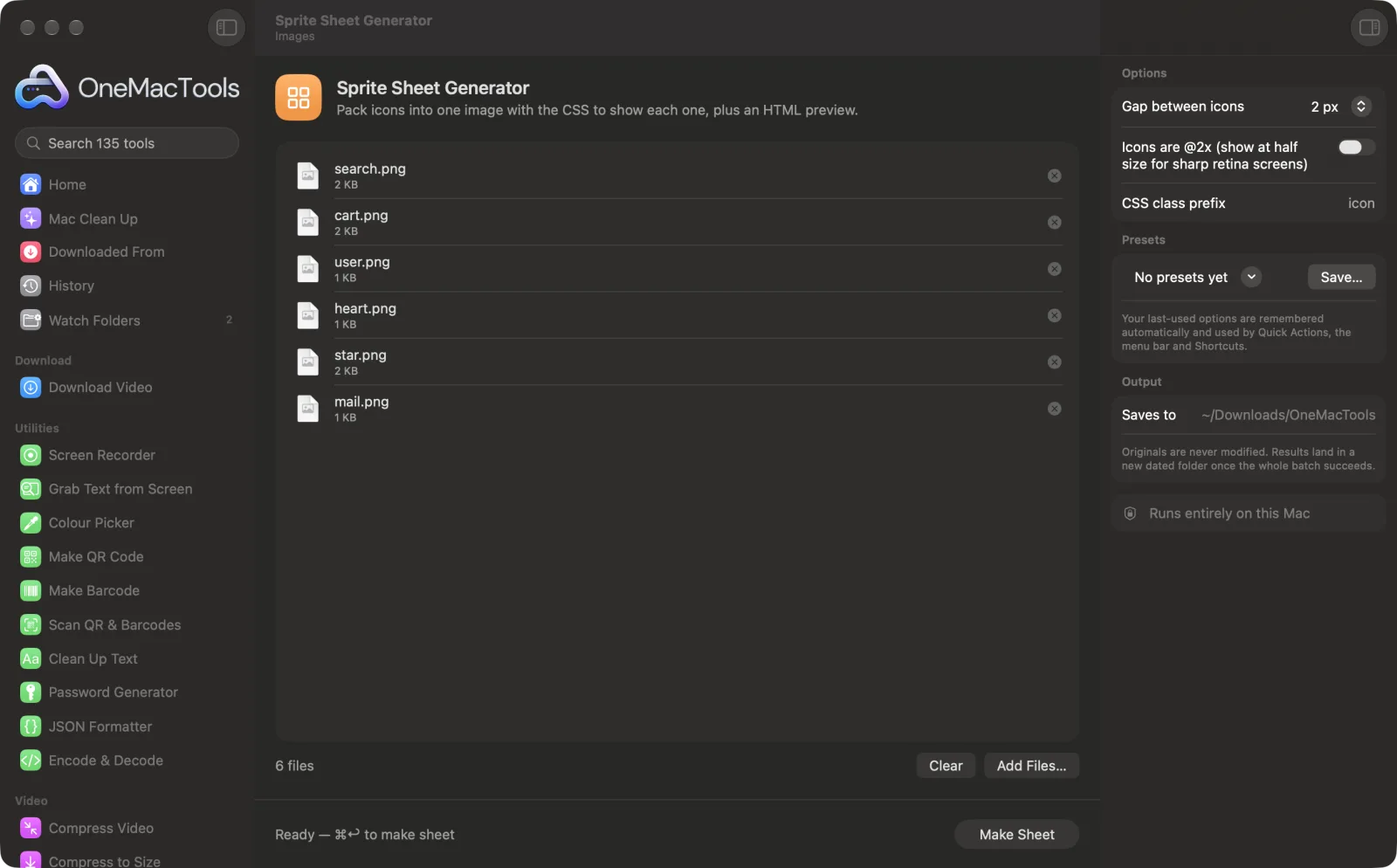
Sprite Sheet Generator on a Mac
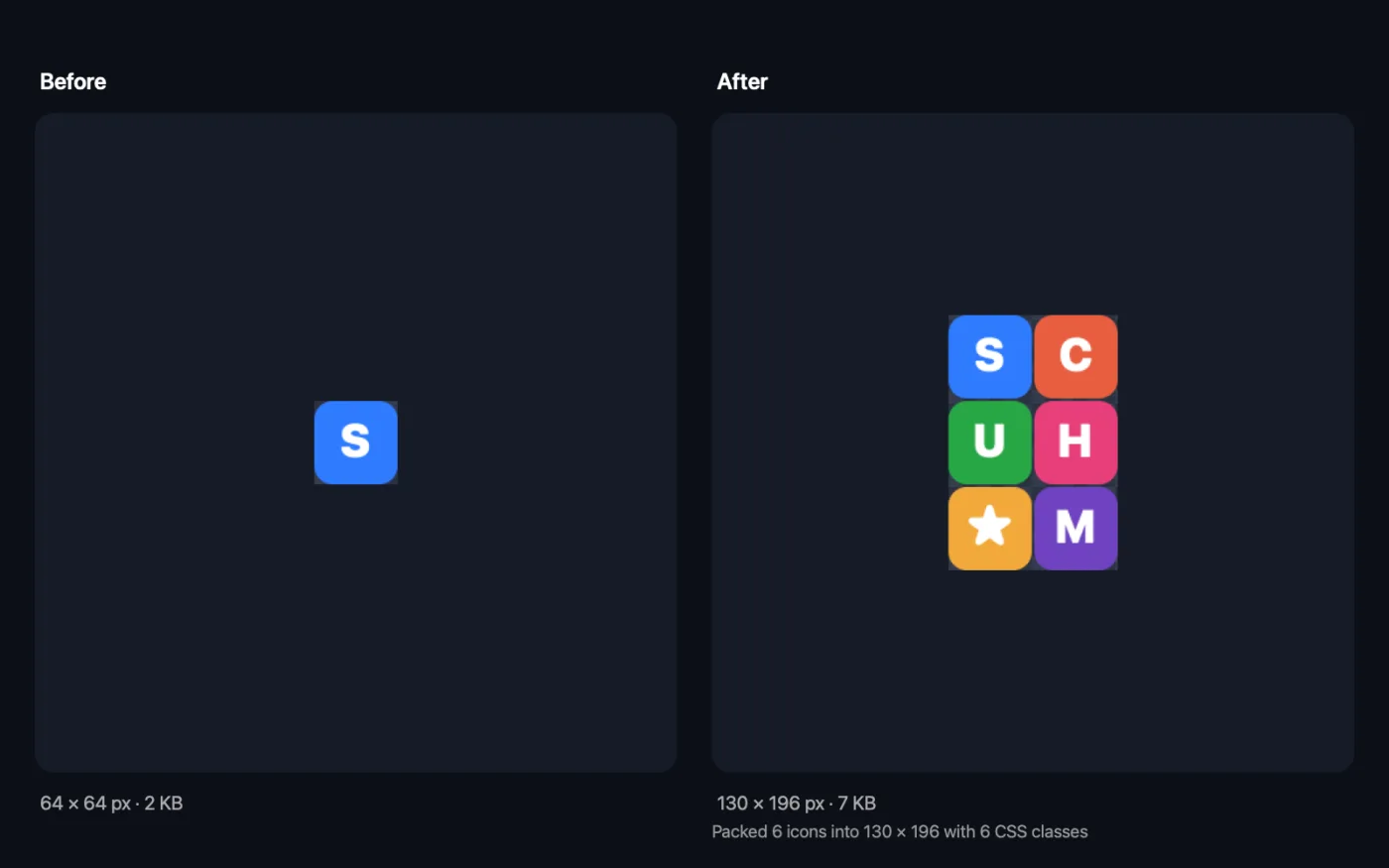
Screenshots from the app, using sample files.
How to use Sprite Sheet Generator
- 1
Drop your icons
Add two or more images. Each file name becomes a CSS class, so name them well first, for example “search.png” and “cart.png”.
- 2
Set the gap and prefix
Choose the space between icons and the CSS class prefix.
- 3
Mark retina icons
If your icons are @2x, turn on the retina option so they display at half size, sharply.
- 4
Click Make Sheet
Icons are packed into rows and saved as sprite.png, with sprite.css and a preview.html page, in a dated folder in Downloads › OneMacTools.
- 5
Use it on your site
Put sprite.png and sprite.css together, link the CSS, and add the classes to elements. Open preview.html to see every class.
What Sprite Sheet Generator does
Icons of any size are packed tightly into rows, each gets its own CSS class with the right position and size, and a preview page shows them all. Set the gap between icons, the class prefix, and whether the icons are @2x for sharp retina screens.
Great for
- Load a set of icons in one request
- Make a game sprite sheet
- Bundle flags or emoji for a website
Options explained
- Gap between icons
- 0, 2, 4 or 8 px; the default is 2 px. A small gap stops neighbouring icons bleeding in when the page is zoomed.
- Icons are @2x (show at half size for sharp retina screens)
- Off by default. When on, the CSS shows every icon at half its pixel size and scales the sheet to match, so double-resolution icons look sharp on retina screens.
- CSS class prefix
- The start of every class name; “icon” if left empty. With the prefix icon, “search.png” becomes .icon-search.
Best practices
- Name files in lowercase with hyphens before you start. The class names come from them, and “@2x” is dropped automatically.
- Use icons with transparent backgrounds so the sheet works on any page colour.
- Make retina icons at exactly twice the display size, with even pixel sizes, so the halved sizes are whole pixels.
- Compress sprite.png with Compress PNG afterwards; a palette PNG is often much smaller for icon sheets.
- Use a gap of 2 px or more if the icons will be scaled or shown when the page is zoomed.
Works with
- In
- Two or more images, usually PNG icons, of any sizes.
- Out
- sprite.png (all icons packed together), sprite.css (one class per icon with its size and position) and preview.html.
- Icons of different sizes are packed tightly into rows, tallest first.
- Files with the same name get numbered classes, such as -2, so none are lost.
Questions about Sprite Sheet Generator
What is a CSS sprite sheet?
One image that contains many icons, with CSS that shows just one icon per element by shifting the background. It loads all your icons in a single request.
How do I use the sprite on my website?
Upload sprite.png and sprite.css to the same folder, link the CSS in your page, and add classes such as class="icon icon-search" to an element.
How are the class names made?
From each file name, in lowercase with spaces and symbols turned into hyphens, after your prefix. “Shopping Cart.png” with the prefix icon becomes .icon-shopping-cart.
Can I use icons of different sizes?
Yes. Each icon keeps its own size, and its CSS class gets the matching width and height.
How do I make sprites sharp on retina screens?
Make the icons at twice the size you'll show them and turn on the @2x option. The CSS then shows them at half size, which looks sharp on high-resolution screens.
Can I use it for game sprites?
Yes. sprite.css lists every image's position and size on the sheet, which you can read into a game engine or canvas code.
Does Sprite Sheet Generator upload my files?
No. Sprite Sheet Generator runs entirely on your Mac, so your files never leave it and it works offline.
Will Sprite Sheet Generator change my original files?
No. Results are saved as new files in a dated folder in Downloads › OneMacTools, and your originals are left exactly as they were unless you turn on an option that says otherwise.
What does Sprite Sheet Generator need?
Just a Mac with macOS 26 or later. There's nothing else to install.
Do this next
Shrink PNGs by 60–80% by reducing colours, keeping transparency — ideal for screenshots, logos and icons.
Image to Base64Turn images into Base64 data URIs, ready to paste into HTML, CSS or JSON.
Related Images tools
Convert between PNG, JPEG, HEIC, AVIF and TIFF. Reads WebP, RAW and more.
Compress ImagesShrink photos for email and the web, with a live before-and-after preview.
Convert to WebPMake small, web-ready WebP images, lossy or lossless, with transparency kept.
Resize ImagesResize by longest edge, exact pixels, percentage, or print size in cm, mm or inches at the DPI you need.
Crop ImagesCrop to an aspect ratio or an exact area, or trim plain borders automatically — one photo or a whole folder.
Rotate & Flip ImagesTurn or mirror photos in one go.

Sprite Sheet Generator, plus 134 more.
One app. One price.
All 135 tools for $29, once. 14-day money-back guarantee.