
Split a panorama into an Instagram carousel on Mac
Cut a wide photo into seamless Instagram carousel slides, or a 3×3 grid numbered in posting order.
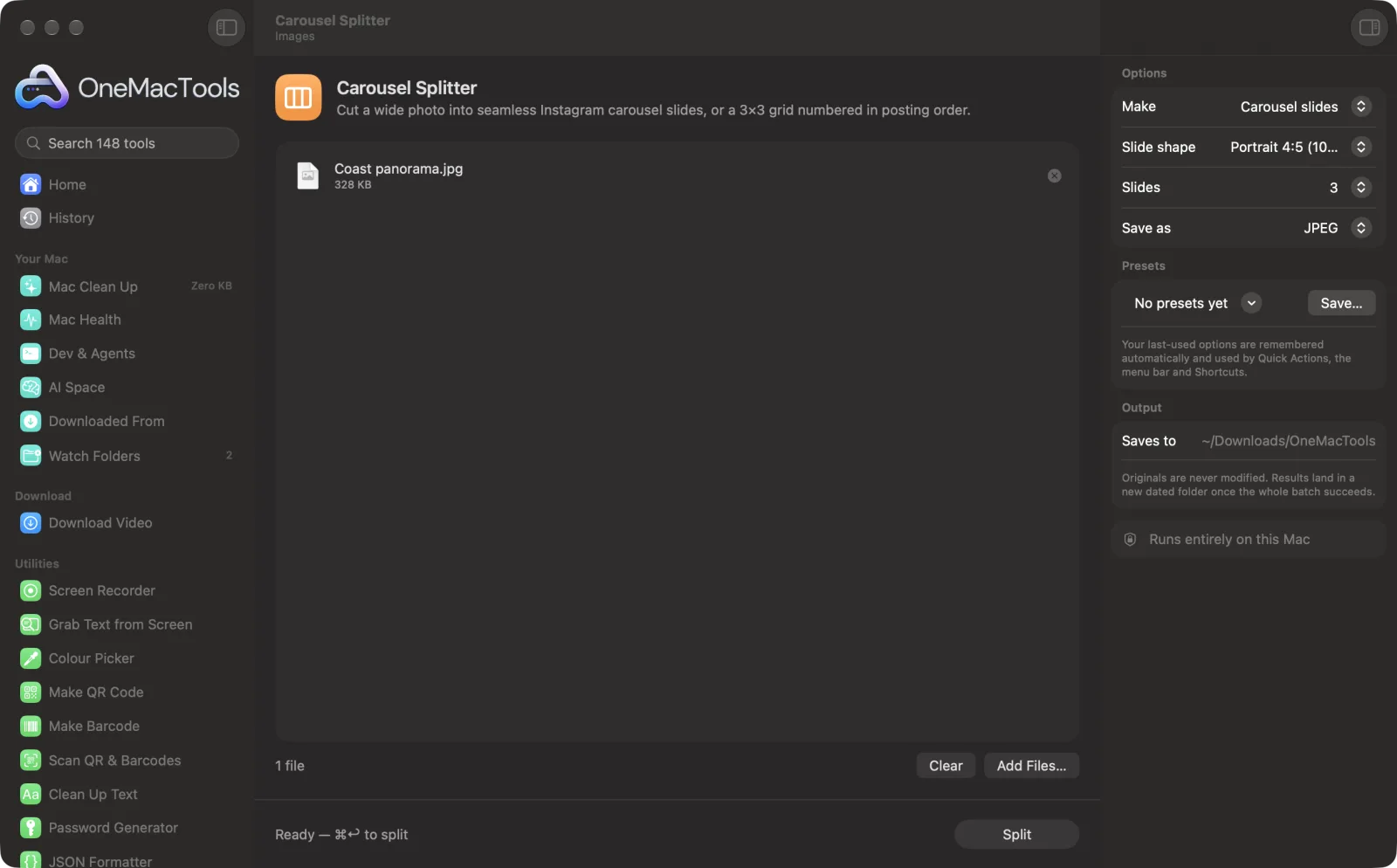
Carousel Splitter on a Mac
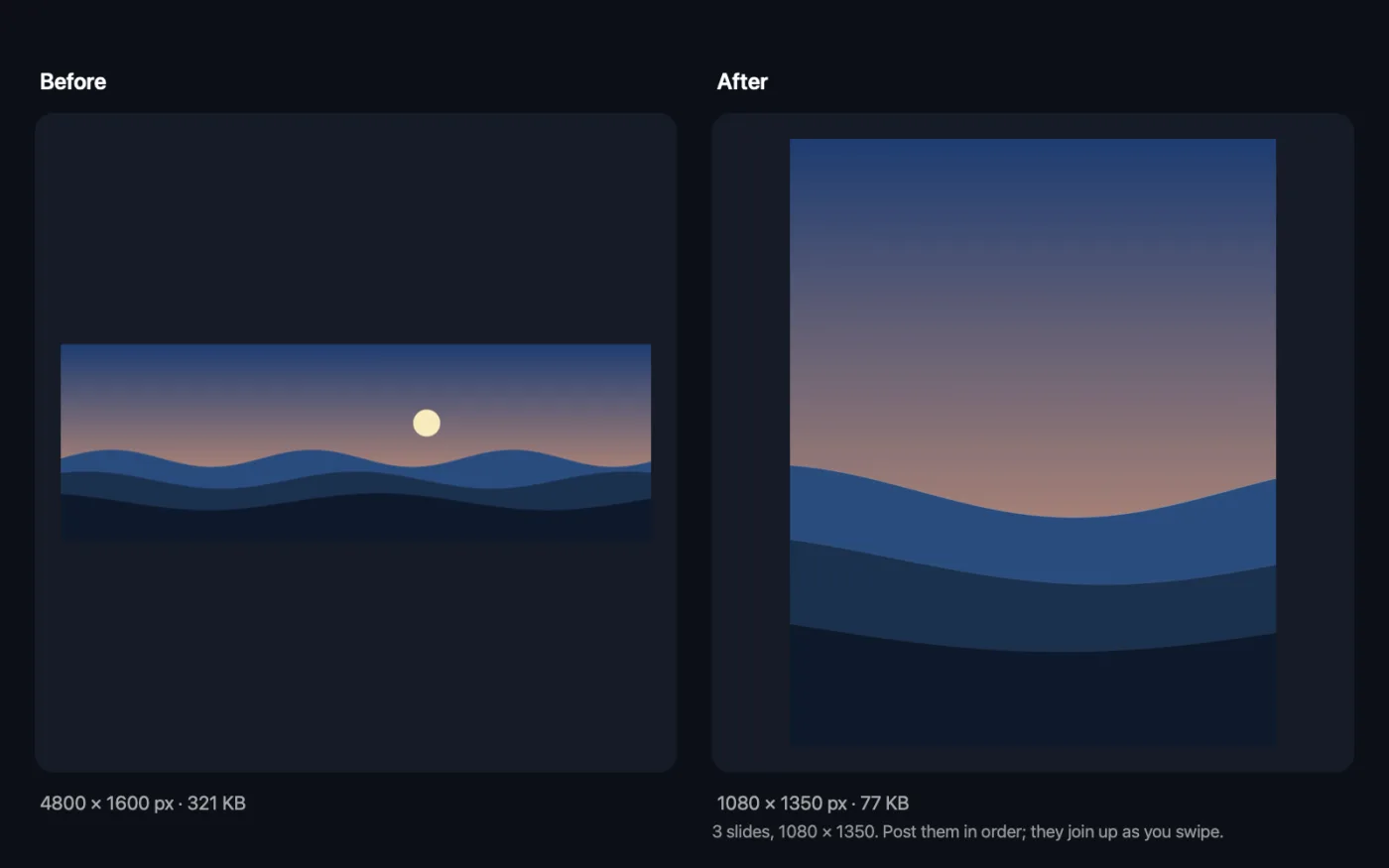
Screenshots from the app, using sample files.
How to use Carousel Splitter
- 1
Drop a wide picture
A panorama, a group photo or a wide design. One picture at a time.
- 2
Choose slides or a grid
Carousel slides join up as people swipe; a 3 × 3 profile grid makes one big picture on your profile.
- 3
Pick the shape
Portrait 4:5 (1080 × 1350) fills the most of the feed; square and tall 3:4 are there too.
- 4
Choose how many slides
Fit the picture uses as many slides as the picture covers at full height, from 2 to 10, or pick a number.
- 5
Click Split
The slides are saved as Name 1 of 3, Name 2 of 3 and so on, or Post 1 to Post 9 for a grid.
What Carousel Splitter does
Drop a wide photo or design and get slides that join up as people swipe: portrait 4:5 (1080 × 1350), square or tall 3:4, as many as the picture covers or the number you choose. Or make a 3 × 3 profile grid, with the nine posts numbered in the order to post them so the grid lines up on your profile.
Great for
- Post a panorama as one seamless swipe
- Turn a wide design into a carousel
- Make a profile grid that forms one big picture
Options explained
- Make
- Carousel slides cuts the picture side by side; 3 × 3 profile grid cuts it into nine posts, three across and three down.
- Slide shape
- Portrait 4:5 (1080 × 1350), Square (1080 × 1080) or Tall 3:4 (1080 × 1440). The picture is filled to the shape, trimming a little from the edges if it doesn't match exactly.
- Slides
- Fit the picture, or 2, 3, 4, 5, 6, 8 or 10 slides. Fewer slides show more of the height; more slides show more detail across.
- Save as
- JPEG for photos (smaller files) or PNG for designs with text and flat colour.
Best practices
- Keep faces and text away from the cuts between slides: they land on the edge of a swipe.
- Post the slides in one carousel, in order, so they join up.
- For a grid, post Post 1 first and Post 9 last: the newest post shows top left, so the picture lines up.
- Instagram's profile grid now shows posts as 3:4 thumbnails, so a Tall 3:4 grid lines up best there.
- Start from the largest picture you have: each slide is 1080 pixels wide, so a 3-slide carousel wants about 3240 pixels across.
Works with
- In
- One image: JPEG, PNG, HEIC, WebP, TIFF and more.
- Out
- 2 to 10 slides, or 9 grid posts, as JPEG or PNG at Instagram's sizes.
- The original isn't changed.
- Portrait pictures work too, but most of the height is trimmed to fit side-by-side slides.
Questions about Carousel Splitter
How do I make a seamless Instagram carousel on a Mac?
Drop a wide picture into Carousel Splitter, keep Carousel slides and Portrait 4:5, and click Split. Post the slides together in order and they flow into each other as people swipe.
What size should Instagram carousel slides be?
1080 × 1350 pixels (4:5) takes up the most room in the feed. Square 1080 × 1080 also works. All slides in one carousel use the same shape.
How many slides can a carousel have?
Instagram allows up to 20. Carousel Splitter makes 2 to 10, since longer panoramas get thin and few people swipe that far.
How do I split a picture into a 3 × 3 grid for my profile?
Choose 3 × 3 profile grid. You get nine posts named Post 1 to Post 9 with their place on the grid; post them in that order.
Why is my picture trimmed?
The slides together have a fixed shape. If the picture is wider or taller than that, the edges are trimmed equally so nothing is stretched.
Is the picture uploaded?
No. It's cut on your Mac.
Does Carousel Splitter upload my files?
No. Carousel Splitter runs entirely on your Mac, so your files never leave it and it works offline.
Will Carousel Splitter change my original files?
No. Results are saved as new files in a dated folder in Downloads › OneMacTools, and your originals are left exactly as they were unless you turn on an option that says otherwise.
What does Carousel Splitter need?
Just a Mac with macOS 26 or later. There's nothing else to install.
Do this next
One photo in, every size out: Instagram, YouTube, X, LinkedIn, Facebook, WhatsApp and Pinterest.
Text on Image & Meme MakerAdd captions, quotes or labels with your font, colour, outline and shadow — or make a classic meme.
Resize ImagesResize by longest edge, exact pixels, percentage, or print size in cm, mm or inches at the DPI you need.
Related Images tools
Convert between PNG, JPEG, HEIC, AVIF and TIFF. Reads WebP, RAW and more.
Compress ImagesShrink photos for email and the web, with a live before-and-after preview.
Convert to WebPMake small, web-ready WebP images, lossy or lossless, with transparency kept.
Crop ImagesCrop to an aspect ratio or an exact area, or trim plain borders automatically — one photo or a whole folder.
Rotate & Flip ImagesTurn or mirror photos in one go.
Screenshot BeautifierPut screenshots on a gradient with padding, rounded corners and a soft shadow.

Carousel Splitter, plus 144 more.
One app. One price.
All 145 tools. Free download, one payment for a licence. 14-day money-back guarantee.