
Generate favicons for a website on Mac
Every favicon a website needs, plus the web manifest and the HTML to paste into your page.
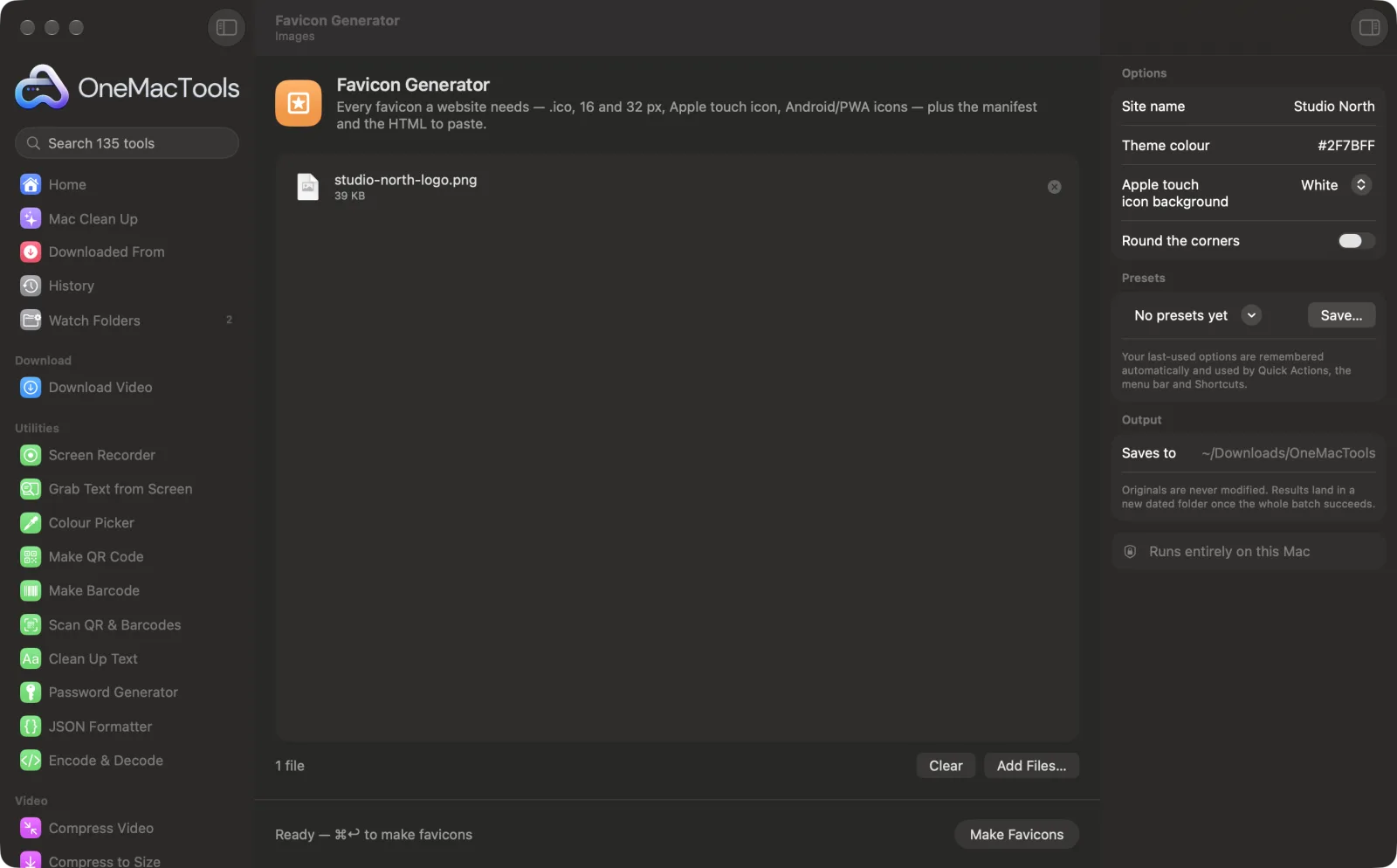
Favicon Generator on a Mac
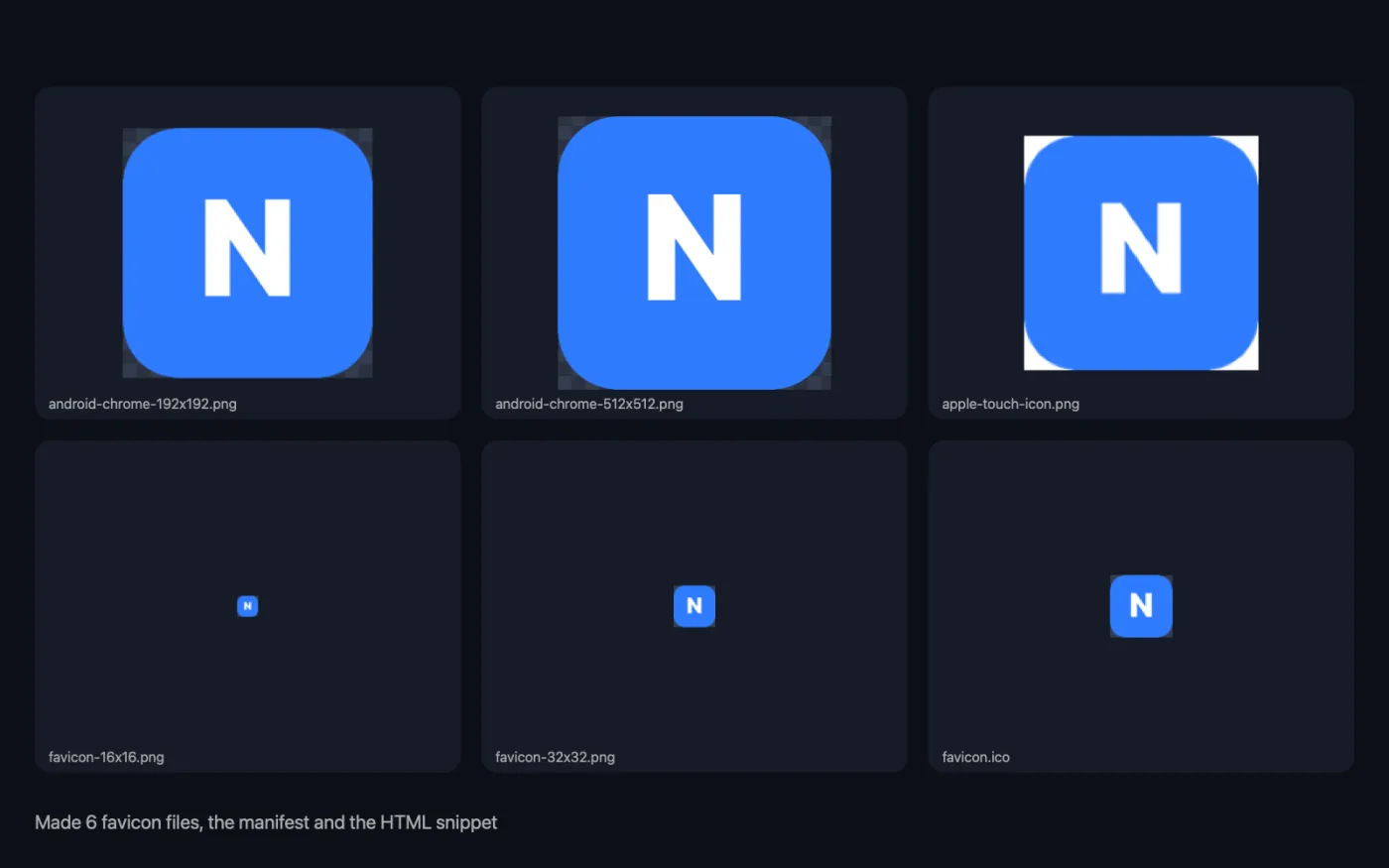
Screenshots from the app, using sample files.
How to use Favicon Generator
- 1
Drop your logo
Use one image, square if possible and at least 512 px. Non-square images are cropped to a centred square.
- 2
Add your site details
Type the site name and theme colour for the web manifest, and choose the Apple touch icon background.
- 3
Click Make Favicons
Every favicon file is made, along with the manifest and the HTML snippet.
- 4
Upload to your site
Copy the files from the “favicons” folder (in a dated folder in Downloads › OneMacTools) to your website's root, and paste the HTML into your page's <head>. The snippet is also shown in the app.
What Favicon Generator does
From one logo, get favicon.ico with 16, 32 and 48 px inside, 16 and 32 px PNGs, a 180 px Apple touch icon on a solid background so it doesn't turn black on iPhones, and 192 and 512 px icons for Android and installable web apps — plus a site.webmanifest with your site name and theme colour and the HTML snippet for your <head>.
Great for
- Add a favicon to a new website
- Make a site installable on phones
- Replace a blurry favicon
Options explained
- Site name
- The name used in site.webmanifest, shown when someone installs your site on a phone. If you leave it empty, the image's file name is used. The short name is the first 12 characters.
- Theme colour
- A hex colour such as #1E90FF, used for the browser's theme colour and the manifest's background colour. White if left empty.
- Apple touch icon background
- White, Theme colour or Black. iPhones show transparent home-screen icons on black, so the 180 px Apple touch icon gets a solid background.
- Round the corners
- Off by default. Rounds the corners of your logo in every favicon size.
Best practices
- Use a simple mark, not your full logo with words. At 16 px only bold shapes stay recognisable.
- Start from a transparent PNG so the favicon sits nicely on light and dark browser tabs.
- Type the theme colour as a hex value. It colours the browser interface on some phones, so pick your main brand colour.
- After uploading, open your site in a private window to check the new icon, as browsers cache favicons for a long time.
Works with
- In
- One image, ideally a square PNG of 512 px or more.
- Out
- A “favicons” folder with favicon.ico (16, 32 and 48 px inside), favicon-16x16.png, favicon-32x32.png, apple-touch-icon.png (180 px), android-chrome-192x192.png and android-chrome-512x512.png, plus site.webmanifest and add-to-head.html.
- Non-square images are cropped to a centred square.
Questions about Favicon Generator
Which favicon files does a website need?
favicon.ico for older browsers, 16 and 32 px PNGs for tabs, a 180 px Apple touch icon for iPhone home screens, and 192 and 512 px icons with a web manifest for Android. OneMacTools makes all of them and the HTML to paste into your page's <head>.
Where do the files go?
In your website's root folder, next to index.html. The HTML snippet and the manifest both expect them there.
How do I make a favicon.ico on a Mac?
Drop your logo onto Favicon Generator and click Make Favicons. favicon.ico is made with 16, 32 and 48 px versions inside, alongside the PNG sizes.
Why does my icon look black on an iPhone home screen?
iOS shows transparent areas of a home-screen icon as black. The Apple touch icon is placed on a solid white, black or theme-colour background to avoid that.
What is site.webmanifest for?
It tells phones your site's name, icons and colours when someone adds it to their home screen or installs it as a web app.
My new favicon isn't showing. What's wrong?
Browsers cache favicons aggressively. Check that the files are in your site's root and the snippet is in <head>, then reload in a private window.
Does Favicon Generator upload my files?
No. Favicon Generator runs entirely on your Mac, so your files never leave it and it works offline.
Will Favicon Generator change my original files?
No. Results are saved as new files in a dated folder in Downloads › OneMacTools, and your originals are left exactly as they were unless you turn on an option that says otherwise.
What does Favicon Generator need?
Just a Mac with macOS 26 or later. There's nothing else to install.
Do this next
Make the 1200 × 630 card that shows when your link is shared on X, LinkedIn, Slack, WhatsApp and iMessage.
App Icon GeneratorOne square image to every app icon: the iOS asset catalog for Xcode, Android launcher and adaptive icons, and a Mac .icns.
Related Images tools
Convert between PNG, JPEG, HEIC, AVIF and TIFF. Reads WebP, RAW and more.
Compress ImagesShrink photos for email and the web, with a live before-and-after preview.
Convert to WebPMake small, web-ready WebP images, lossy or lossless, with transparency kept.
Resize ImagesResize by longest edge, exact pixels, percentage, or print size in cm, mm or inches at the DPI you need.
Crop ImagesCrop to an aspect ratio or an exact area, or trim plain borders automatically — one photo or a whole folder.
Rotate & Flip ImagesTurn or mirror photos in one go.

Favicon Generator, plus 134 more.
One app. One price.
All 135 tools for $29, once. 14-day money-back guarantee.