
Make a video thumbnail or contact sheet on Mac
Pick the sharpest frames for a thumbnail, or make a grid of frames with timestamps.
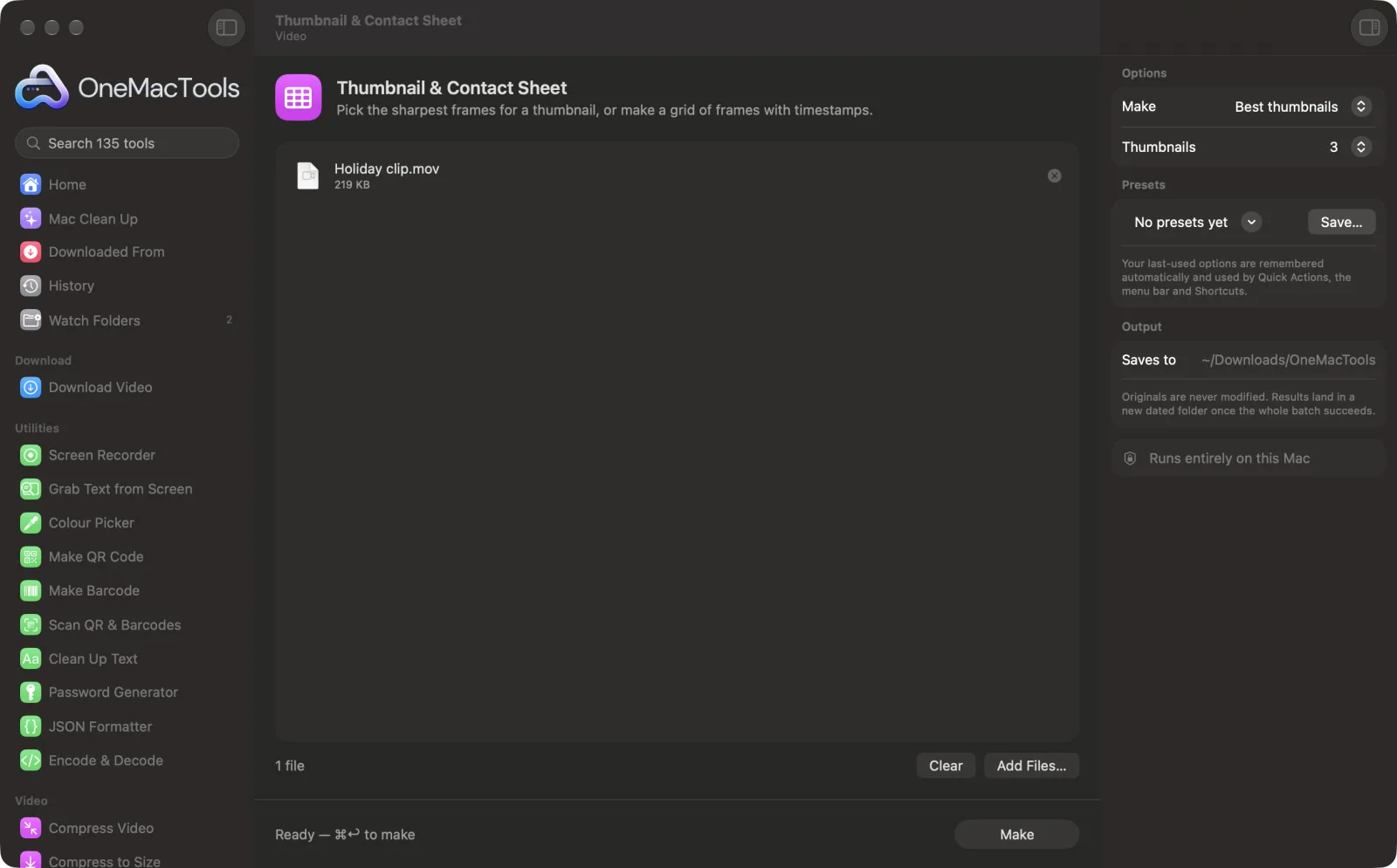
Thumbnail & Contact Sheet on a Mac
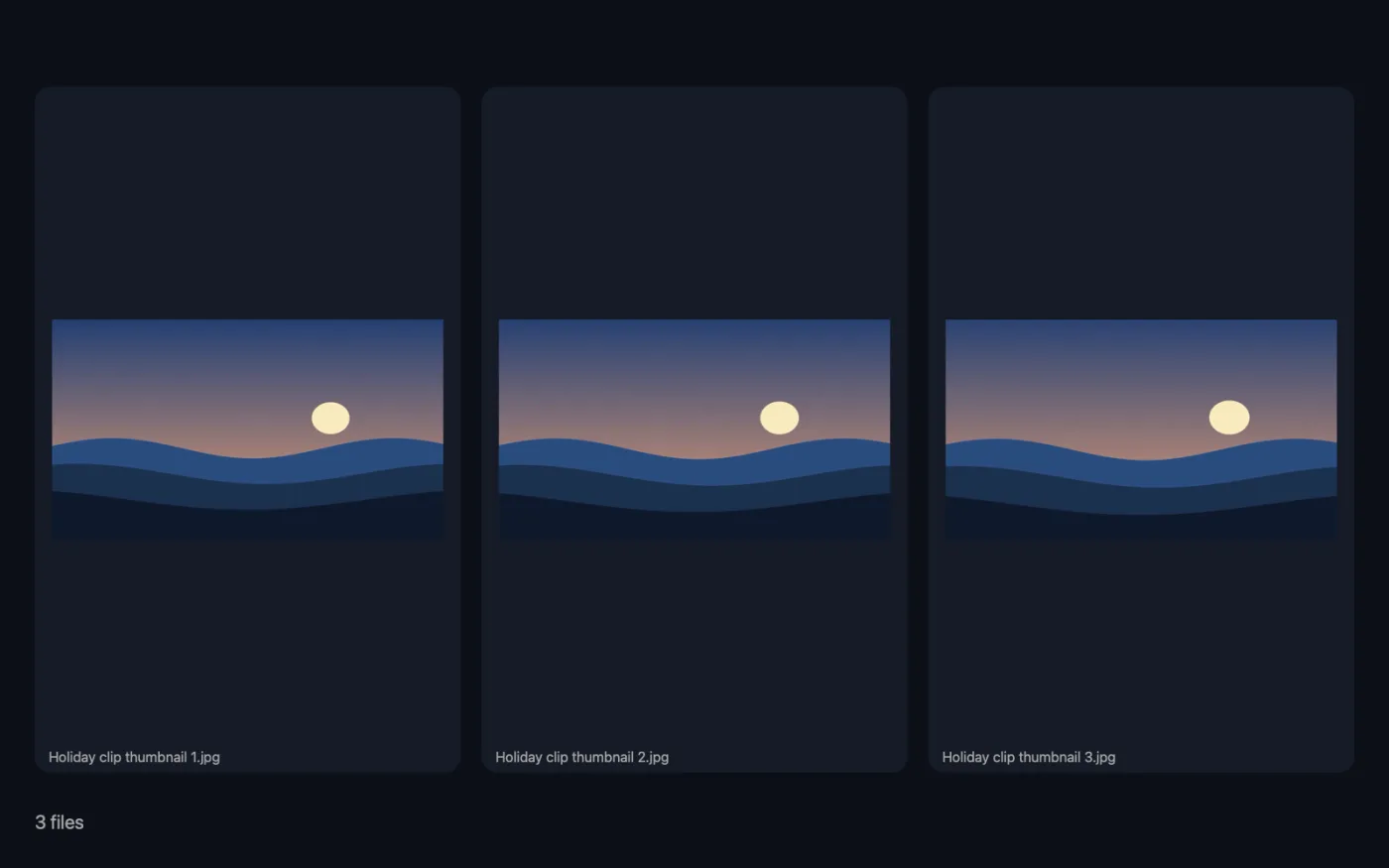
Screenshots from the app, using sample files.
How to use Thumbnail & Contact Sheet
- 1
Drop your videos
Add one or more videos.
- 2
Choose what to make
Pick Best thumbnails to get the sharpest frames, or Contact sheet for a grid of frames with timestamps.
- 3
Set how many
For thumbnails, choose 1, 3 or 5. For a contact sheet, choose a 3 × 4, 4 × 5 or 5 × 6 grid.
- 4
Click Make
Frames are sampled across the whole video. Thumbnails are scored for sharpness and exposure; contact sheet frames are evenly spaced.
- 5
Pick your favourite
The JPEGs are saved in a new dated folder in Downloads › OneMacTools. Look through them with the Preview (eye) button or Show in Finder. The video isn't changed.
What Thumbnail & Contact Sheet does
OneMacTools samples frames across the video and scores them for sharpness and exposure, then saves the best ones, spread through the clip, as full-size JPEGs. Or choose a contact sheet: a grid of evenly spaced frames, each with its timestamp, plus the file's length and resolution at the top.
Great for
- Find a crisp YouTube thumbnail without scrubbing
- Review a long recording at a glance
- Send a client an overview of a shoot
Options explained
- Make
- Best thumbnails (the default) saves the sharpest, best-exposed frames as full-size JPEGs. Contact sheet saves one image with a grid of frames, each labelled with its time, and the file's name, length and resolution at the top.
- Thumbnails
- Shown when Make is Best thumbnails. 1, 3 (the default) or 5 frames, chosen from different parts of the video.
- Grid
- Shown when Make is Contact sheet. 3 × 4, 4 × 5 (the default) or 5 × 6: columns by rows.
Best practices
- Ask for 3 or 5 thumbnails to get a choice. They're picked from different parts of the video, so you won't get five near-identical frames.
- Thumbnails come from 40 frames spread through the clip. For one exact moment, use Extract Frames with One frame instead.
- Add text or a border to your chosen thumbnail with the image tools before uploading it.
- A contact sheet is a quick way to show a client or editor everything in a shoot in a single image.
- Use a bigger grid for long recordings so the gaps between frames stay short.
Works with
- In
- Videos macOS can read (MP4, MOV, M4V).
- Out
- JPEG thumbnails up to 1920 px on the long side, or one JPEG contact sheet.
- No extra install needed: it uses macOS's own video tools.
- MKV and WebM videos can't be read; convert them to MP4 first.
Questions about Thumbnail & Contact Sheet
How do I make a thumbnail from a video on a Mac?
Drop the video onto Thumbnail & Contact Sheet, choose Best thumbnails and click Make. The sharpest, best-exposed frames are saved as JPEGs.
How are the best frames chosen?
Forty frames are sampled evenly across the video and scored for sharpness and exposure. The highest-scoring ones, spaced apart, are saved.
How do I make a contact sheet of a video?
Choose Contact sheet and a grid size, then click Make. You get one image with evenly spaced frames, each labelled with its time.
What's on the contact sheet?
The file name, its length and resolution at the top, then the grid of frames on a dark background, each with a timestamp underneath.
Are the thumbnails big enough for YouTube?
Yes. Thumbnails are saved up to 1920 px on the long side, more than YouTube's recommended 1280 × 720.
Why does it say my video has no video track macOS can read?
This tool uses macOS's own video tools, which can't open MKV or WebM files. Convert the video to MP4 with Convert Video first.
Does Thumbnail & Contact Sheet upload my files?
No. Thumbnail & Contact Sheet runs entirely on your Mac, so your files never leave it and it works offline.
Will Thumbnail & Contact Sheet change my original files?
No. Results are saved as new files in a dated folder in Downloads › OneMacTools, and your originals are left exactly as they were unless you turn on an option that says otherwise.
What does Thumbnail & Contact Sheet need?
Just a Mac with macOS 26 or later. There's nothing else to install.
Do this next
Save a still, a frame every few seconds, or a contact sheet of the whole video.
Text on Image & Meme MakerAdd captions, quotes or labels with your font, colour, outline and shadow — or make a classic meme.
Resize ImagesResize by longest edge, exact pixels, percentage, or print size in cm, mm or inches at the DPI you need.
Related Video tools
Make videos much smaller while keeping them sharp.
Compress to SizeHit a file-size limit for email, Discord or WhatsApp. Pick the size, not the quality.
Convert VideoTurn any video into MP4, MOV, WebM or MKV.
Trim VideoKeep just the part you need.
Resize VideoScale videos to a standard resolution.
Crop VideoCentre-crop to square, vertical or widescreen for any platform.

Thumbnail & Contact Sheet, plus 134 more.
One app. One price.
All 135 tools for $29, once. 14-day money-back guarantee.